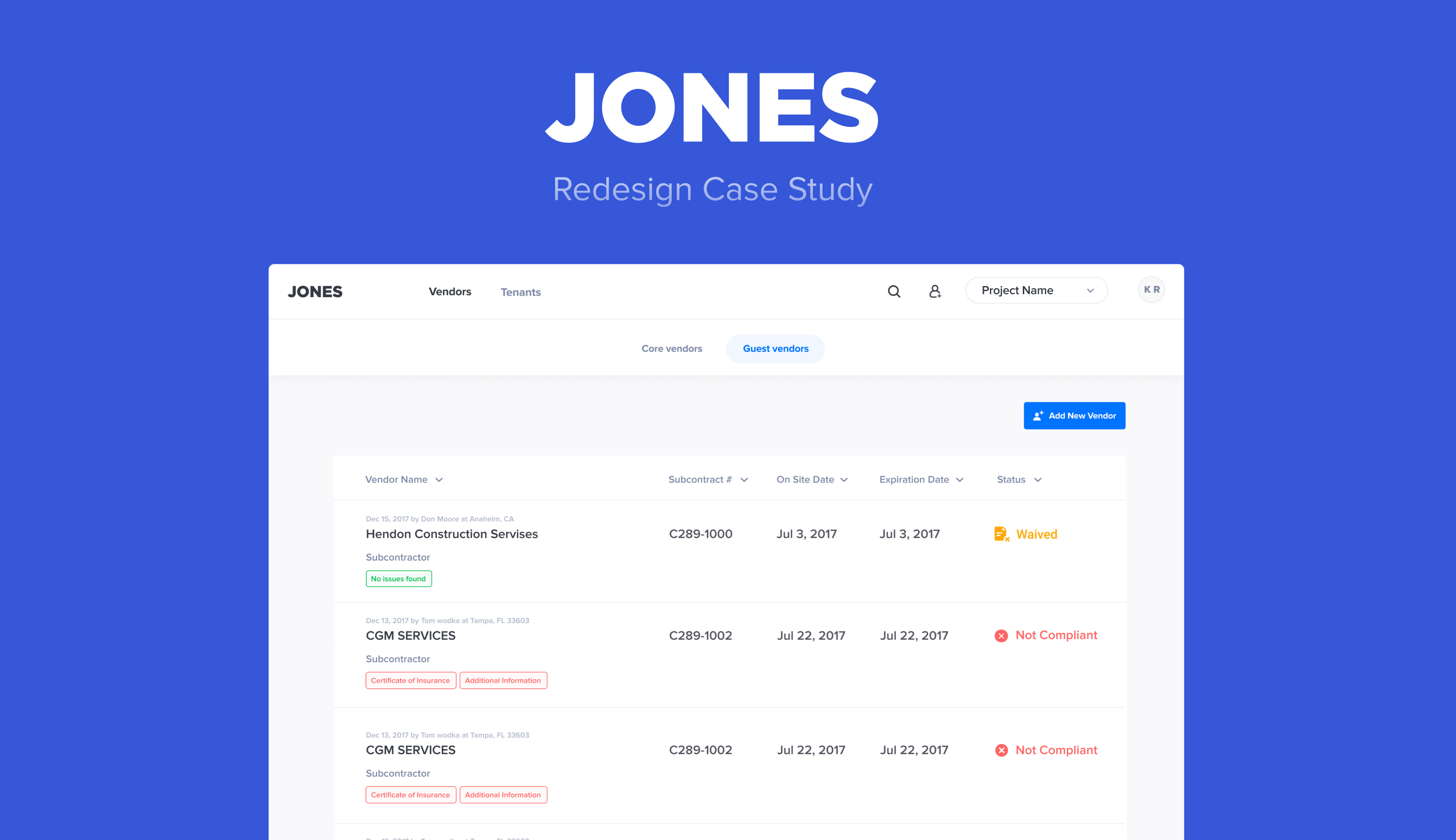
Enhancing the Jones experience and design

Why Redesign?

COI tracking is hard and time-consuming. At Jones, we do everything we can to make our users’ life easier. Jones is a workflow automation tool, which means that every compliance workflow you handle today via email, phone calls, or documents — we want to automate. We do all the heavy lifting on the backend (with technologies like OCR, NLP & AI), so you can do everything with the click of a button. We strive to make compliance invisible so you can focus on the more important tasks, like building relationships with your tenants and vendors, while we take care of the rest.

Our insurance workflows are built for simplicity. We believe that our users deserve an effortless and transparent experience during the entire compliance process. This new platform redesign reflects these ideas and moves us towards our goal of killing the compliance headache and making our users’ lives easier.

Challenges

User-types: personas, roles, and permissions that creates different views

Jones has a variety of different user-types, all with different views and permissions on the platform. Therefore, any changes require careful considerations regarding how they will affect each user-type’s experience.

Before we even started thinking about a redesign, we sat down with our customers to find out how they were using our platform and what they wanted to get from Jones. With the feedback we gained from our customers, we focused this redesign on making sure the new Jones platform works for any and every use case.

Future-proofing: scaling the platform for more use cases

Jones has big dreams regarding managing compliance, and we’re always discovering more pain points we can solve for our users. This means our product roadmap is always growing, with exciting features being planned and added every day.

Adding more features sounds great; however, without proper planning, they could easily create unnecessary clutter, which goes against one of our main principals — simplicity and ease of use. With this redesign, we restructured our product architecture according to best practices so we are better prepared to add new features without affecting current functionality.

What changed in the redesign and why?

What’s more important — Hitchcock rule

“The size of any object in your frame should be proportional to its importance to the story at that moment.”
— Hitchcock
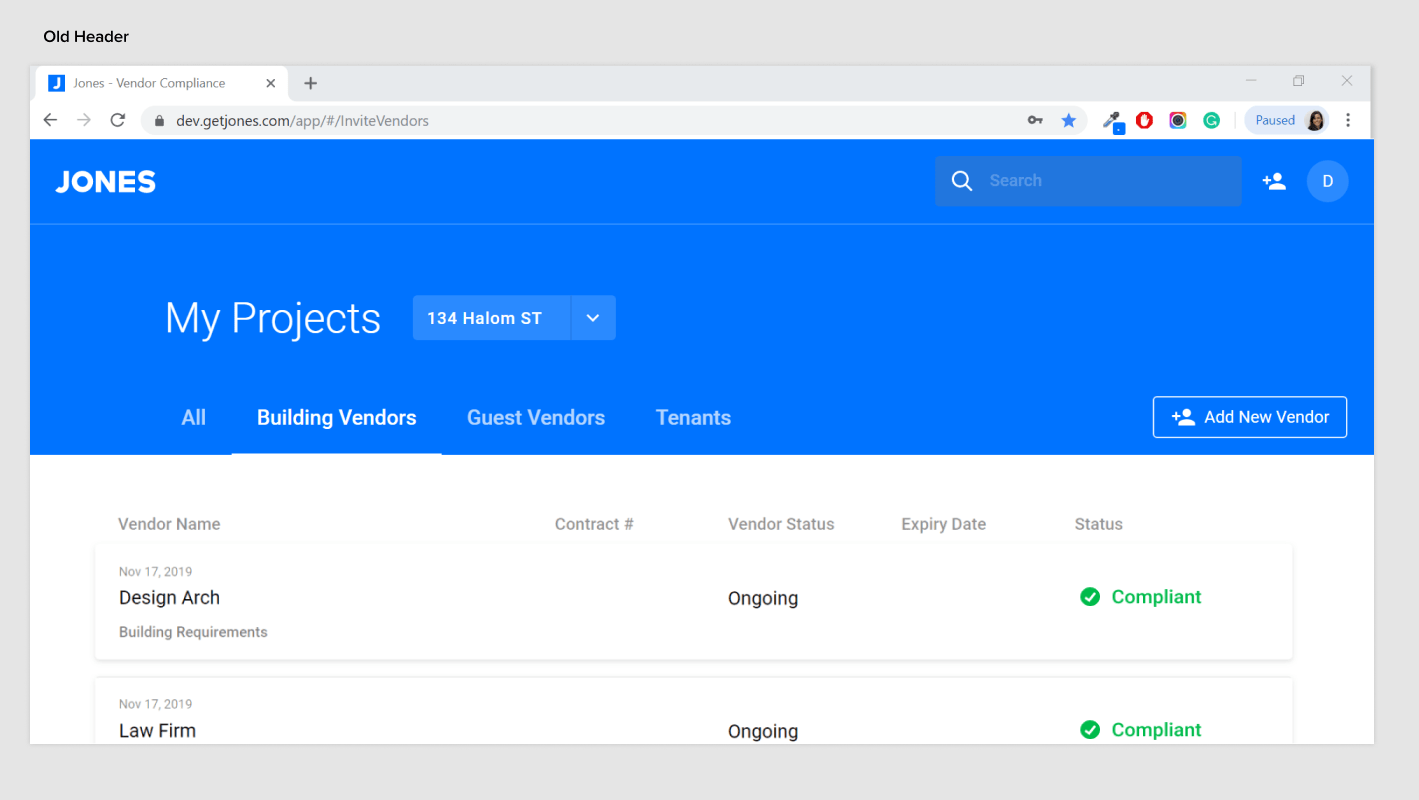
Old Header

Old Header

In the past, Jones’s header took up most of the screen real-estate, making it seem like navigation was more important than the actual content — the compliance list.
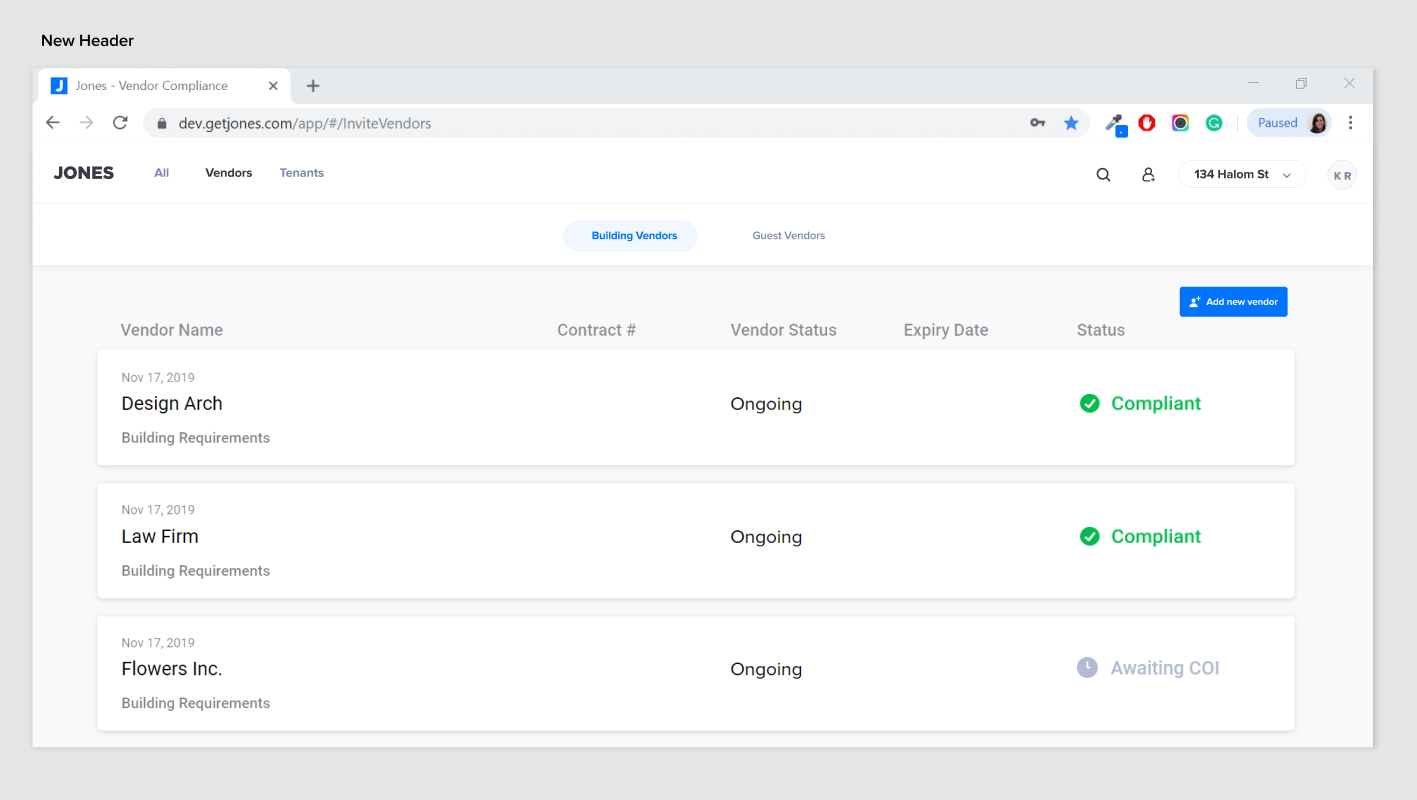
New Header

With the new redesign, we were able to almost double the screen real-estate of the compliance list, and by doing that, enable our users to more easily concentrate on the main job they came to do.

Good website navigation is not ‘in the way’ — it disappears into the background

We all have past experiences — Jakob’s Law

“Users spend most of their time on other sites. This means that users prefer your site to work the same way as all the other sites they already know.”
— Nielsen

What Dr. Jakob Nielsen’s simple statement reveals is something innate in human nature: we like to be able to anticipate what an experience will be like, based on our past experiences. Source

1. Settings & Location for logout:

On the old design, the settings for the email notification, as well as the logout, were hidden within the profile as a secondary tab, accessed by clicking on the profile icon in the header. Although we don’t want to encourage users to log out or shut off notifications, it was not the most common placement for either feature.
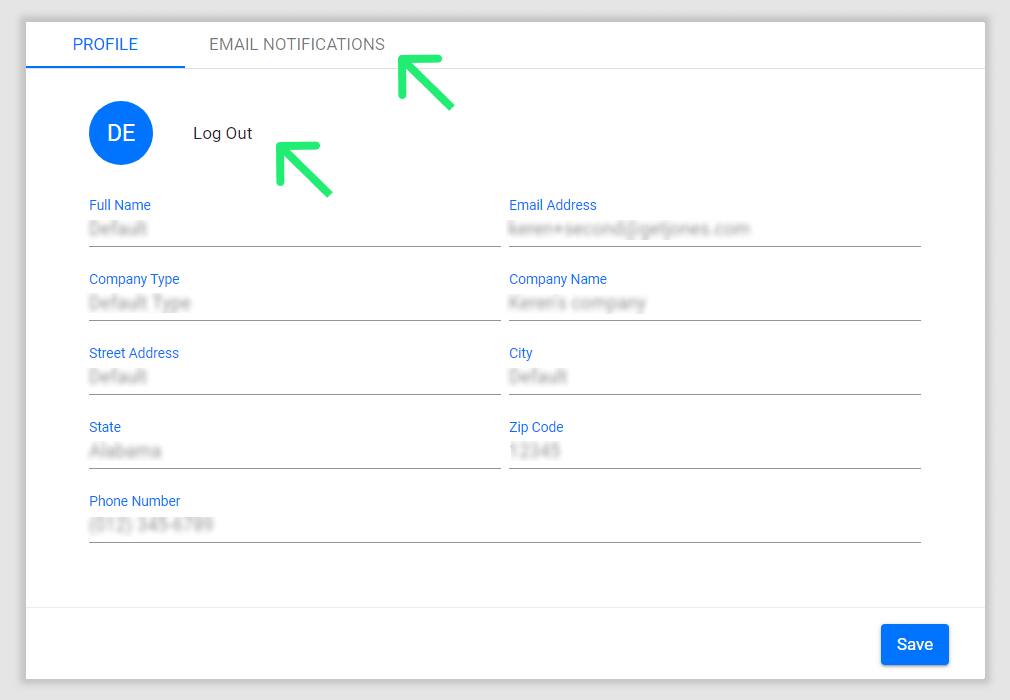
Old Profile Settings

In the redesign, we created a dropdown from the profile icon (a practice common on Youtube/Linkedin etc.), which enabled more transparency and accessibility to those features, as well as scalability within the dropdown.
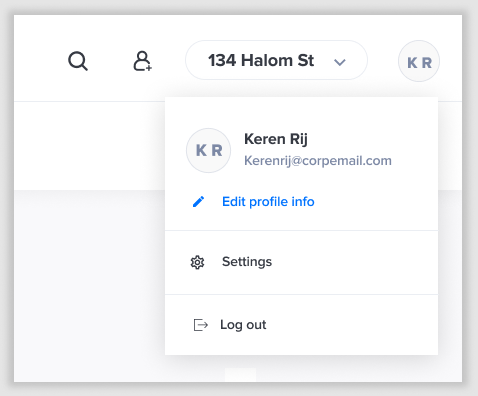
New Profile Settings

2. Search for project/properties:

By watching the user’s behavior on the platform, we were unsurprised to find that many of them were not using the search functionality on the projects/properties dropdown. It’s not very intuitive to find a dropdown that turns into a search box, as we had on the old platform. As users have learned from their experience on other platforms, search functionality is usually highlighted by representations such as search icons and/or keyword, so we switched to that style in our redesign.
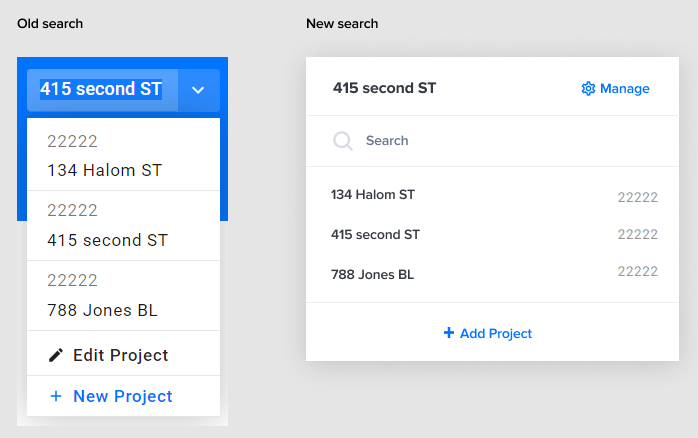
Old vs New Search

People do judge a book by its cover — Aesthetic effect

Users often perceive aesthetically pleasing design as a more usable design.

Users are more likely to want to try and use a visually appealing product. This effect is at its strongest when the aesthetics serve to support and enhance the content and functionality of the product. It builds trust.

Personal and positive relationships with a design evoke feelings of affection, loyalty, and patience — all significant factors in the long-term usability and overall success of a design. Source

Final words

Jones has big dreams regarding managing compliance, and we’re always discovering more pain points that we can solve for our users.

I am so proud to have joined a company that takes their user’s biggest headache out of their daily job!
COI Manager’s Desk — Undisclosed Client Office
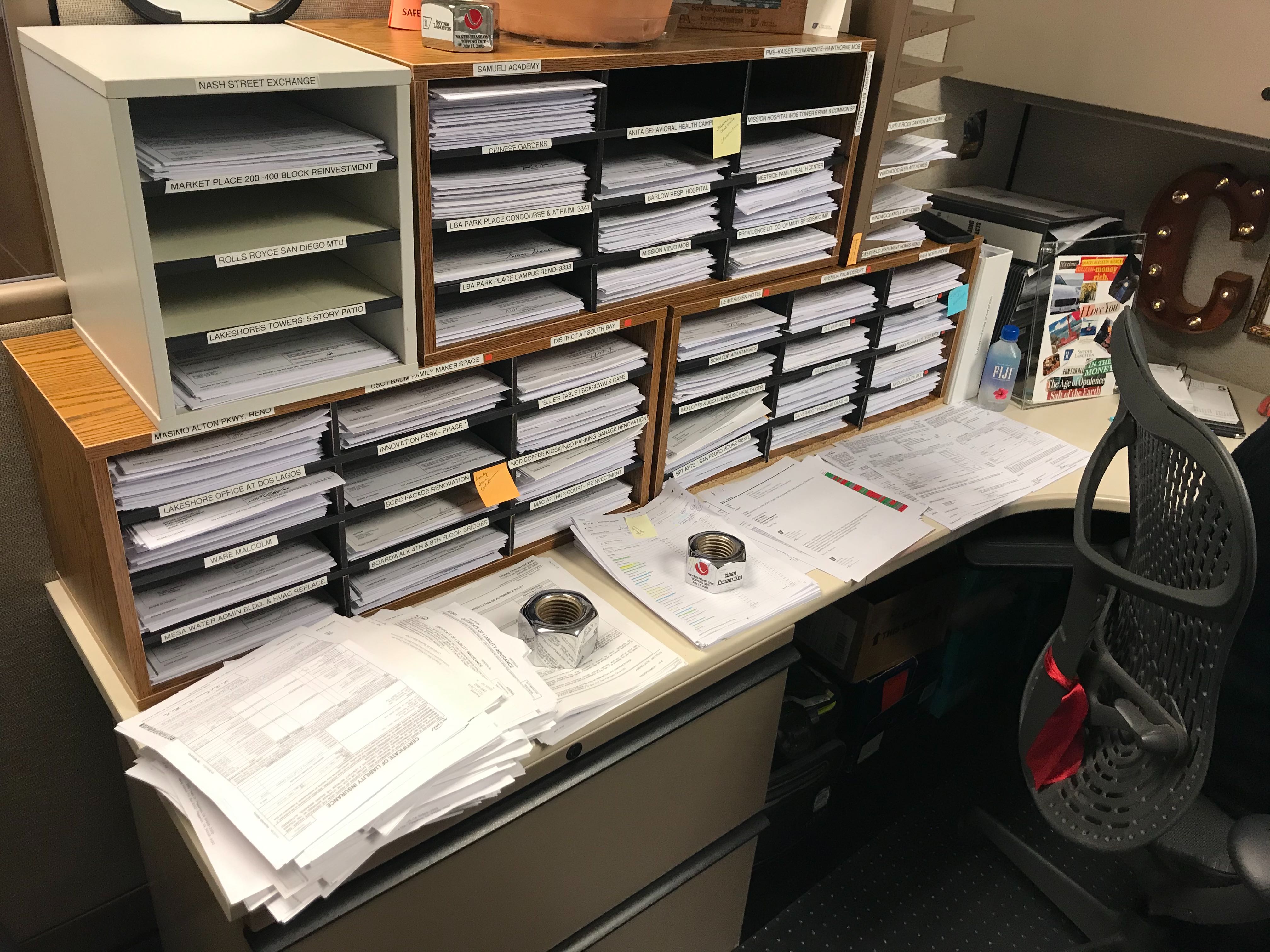
Piles of COI papers, leases, and deals previously needed to be filed, organized, tracked, and searched through manually. Behind each paper, there was a contact person who needed to be chased down, sometimes against the ticking clock. This process was inefficient and slow — a process that dragged down operations and made managing projects and properties difficult.

Jones took all that hassle and turned it into a clean, sleek, amazingly simple platform that automates the work for users.

Jones is a product that addresses real daily pain points and minimizes them significantly.

Just from looking at this photo, I feel that being part of Jones is actually doing good for this world.

My goal is to continue to be in touch with our users, hear them, understand them, and solve the pain points in their daily work by delivering a simple, automated, innovative, and friendly product.
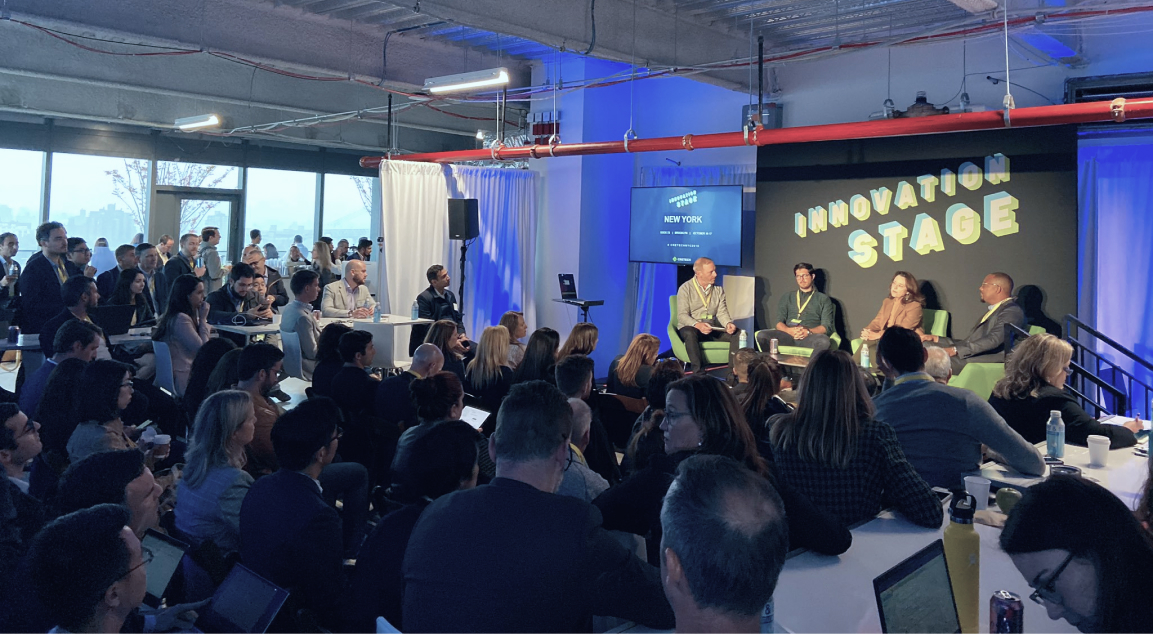
Testing Out Proptech? Here Are The 5 Things To Know Before You Go.

1. First, identify key pain points

It is tempting to sign up for dozens of cool software demos, especially if you have an in-house innovation team dedicated to adopting new technologies, and most definitely if you have an internal venture arm that wants to take part in the financial upside. However, there are dozens of startups popping up in nearly every product category, and your operating teams will soon find themselves overwhelmed. In fact, if you’re a property manager reading this, you might just feel that technology solutions sound great, but their applicability to your day-to-day seems too theoretical.

Consider cutting through all the noise and opt for a more capital efficient path: do the up front work of asking the tough questions about your business needs, get to know your team’s pain points on the ground floor, and identify key themes that could create value for your company. Finally, map those themes to Proptech startups in the market and focus on the opportunities that will truly create value for your company. It will save you a tremendous amount of time and get you on the quickest path to a positive outcome.

2. Define the implementation plan and expectations

Of the pilots we’ve ran, the most successful are those where each side (the technology provider and the customer) create a methodical and clear plan for what is being delivered, when it will be deployed, how the product will work and how success will be measured. This sounds rather rudimentary, and it is, but it’s surprising how easily we forget to cover the basics. I suppose it’s the excitement to start working for a new customer or the customer’s excitement to see new tech adopted quickly. Take a step back and make sure you address the nitty gritty technical questions up front. Your technology provider will thank you for the clarity and you will be happy when the pilot is delivered without any surprises. Here are practical themes to consider:

  • Define the Scope (i.e. which assets and users will be part of the pilot)
  • Outline what use cases or features within the solution you will be focused on for the pilot (typically you are highly focused on a smaller set of key use cases)
  • Identify the key workflows (i.e. how will users interact with the solution across the above scenarios).
  • Define timeline and outcomes – How long will it take to evaluate? What happens if we succeed? What happens if we fall below expectations?

3. Calibrate your adoption speed

The time to adopt technology can vary, and it can be critical. Energy efficiency hardware will return a sizeable ROI but requires longer adoption cycles than property management software that shows incremental operational gains rather quickly. Similar in concept to identifying key pain points, your understanding of the time-to-value in adopting technology is crucial because, depending on your time horizon, showing the value of the tech investment has a high opportunity cost. If the technology is slated to drive strategic value for your business, be prepared to be extra diligent in evaluating the time to complete adoption and begin seeing ROI. You may be seeking the promises of a slick tenant experience mobile app but the process of implementing the service components and launch the platform will take 8-12 months. Make sure stakeholders are aligned on the timeline to achieve a return-on-investment from the get-go.

4. Get the most out of your partner

In the Proptech world, perfect is the enemy of the good. New technologies have the promise of a great new world, but the reality is that unlocking the value of Proptech means a process of trial and error. The good news is that fledgling startups are prepared to invest their venture dollars in providing free (or nearly free) pilots in exchange for your usage, engagement and feedback. To be clear, we’re not saying you should adopt Proptech if the baseline product demo does not appear to solve a real need. If you have conviction during the diligence cycle that the provider’s service will create value, you should feel even better knowing that given that pace of startup innovation the service will improve dramatically over a relatively short period of time. Therefore, getting the most out of your provider’s research & development means carving out frequent meetings to communicate your pain points, clearly define measures of success and contribute your staff time to provide feedback on the technology. Taking the leap with a startup can be scary, but if you make the most of it you are going to get a lot more value dollar-for-dollar compared to an incumbent

5. Test drive before you integrate

It can be tempting to ask your technology provider to integrate with your core operating systems from the get-go. You’re probably running on some combination of Yardi, MRI, Building Engines, ViewPoint, Angus, VTS, Procore (Honest Buildings), the list goes on. To boot, there are so many Proptech solutions that it is quickly becoming impossible to implement multiple solutions in parallel. Integration is an important factor but don’t put the cart before the horse. The reality is that most early-stage Proptech startups are focused on building and optimizing their core product to validate that it meets the needs in the market. This is the holy grail in the startup land, and that means that if the core product is not solving at least a majority of your pain points then integration is probably a secondary subject. This gives all the more reason to trial the product in your environment before carving out expensive integration resources.

Finally, once the diligence is done, take the leap or move on.

If you have followed the above steps, you have probably completed a handful of others to get yourself comfortable with the technology. While this is not an exhaustive list, you have taken steps to de-risk the outcome of adopting technology. Last but not least, trust your process. There is no silver bullet to adopting Proptech. The best you can do is set a thorough and efficient process, and trust that once it is completed it is time to make a decision – go or no-go. Time is your most valuable resource in a rapidly changing world of information technology.