Compliance Depot (RealPage)—Is It Worth It? And What Are The Alternatives?

4 Compliance Depot Alternatives

In a hurry and don’t want to read the whole guide?

Summary:

We compare Jones, Docutrax, TrustLayer, and myCOI to Compliance Depot.

Jones is the best overall as it’s the fastest and easiest-to-use COI management tool for tenants, property managers, and vendors.

—TrustLayer fits users looking for a Compliance Depot alternative with advanced collaboration features. It allows all parties to be involved in the COI management process.

—myCOI has the highest level of automation in collecting and verifying COIs.

—Docutrax isn’t explicitly built for COI management. You can use it to track other insurance-related docs like maintenance schedules and inspection reports.

Note: interested in exploring how Jones can help you automate your compliance management end-to-end and de-risk your building? Talk to our team of experts today!

Let’s Chat!

Want a refresher on Compliance Depot?

We’re assuming you’re already familiar with Compliance Depot so we’re diving in with alternatives, however if you want a brief refresher on how it helps property managers handle vendor compliance we cover it a bit later in the piece. Today we’ll be diving right into our review 4 of the best Compliance Depot alternatives.

Jones

Since we wrote this piece, we thought we’d introduce ourselves first.

No need to worry; we’ll keep the review as honest as possible so that you can decide if Jones is the best RealPage alternative for you.

Unlike Compliance Depot, Jones deals with three important parties:

— Property managers
— Vendors
— Tenants

As these three parties are interconnected, they all benefit from Jones.

For example, tenants can use our platform to hire pre-vetted vendors without worrying if they’re compliant or not.

Regarding vendors, most of them can agree that collecting COIs is a tough battle.

Without a clear communication channel, vendors find it frustrating to provide documents only to discover that most of the time they’re not compliant.

In our experience, 90% of COIs from vendors aren’t compliant the first time they’re submitted.

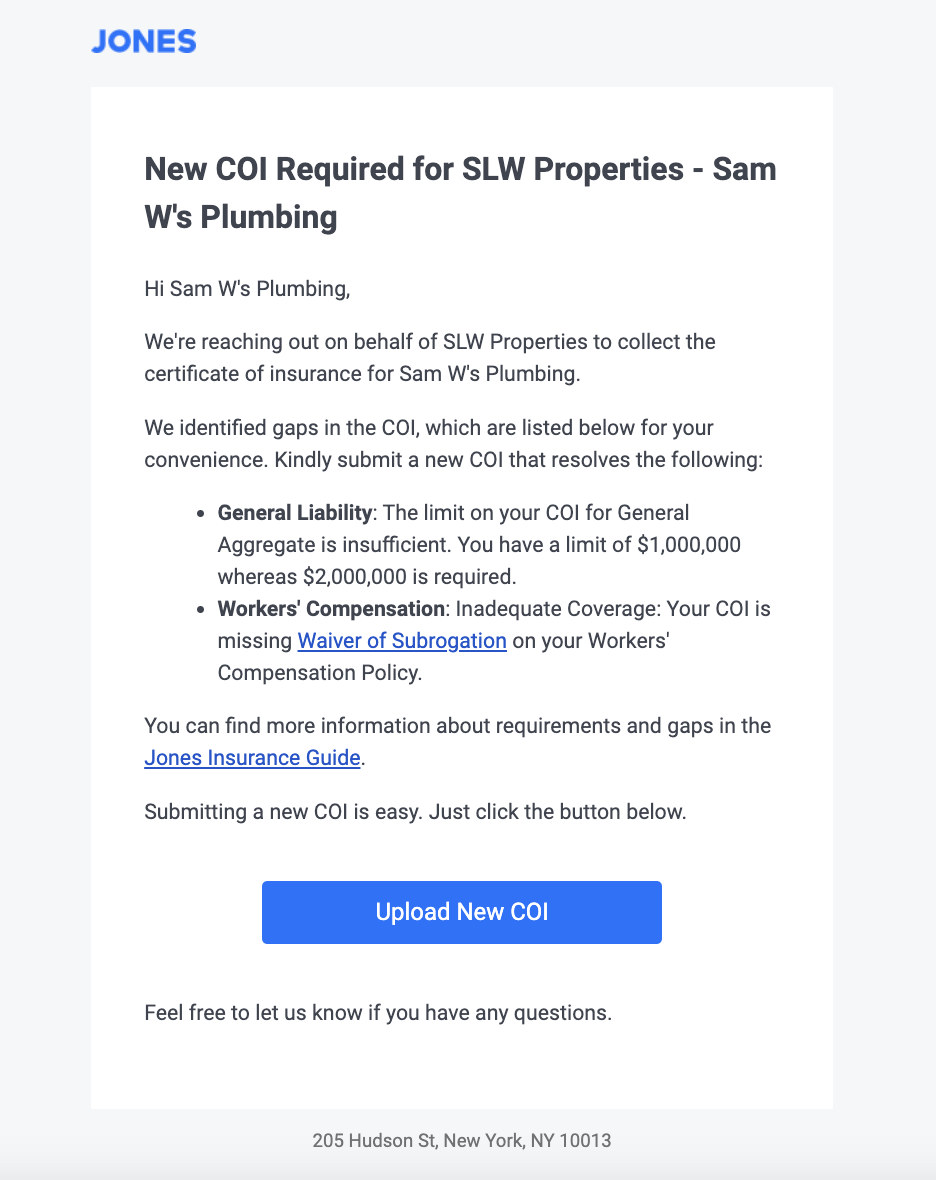
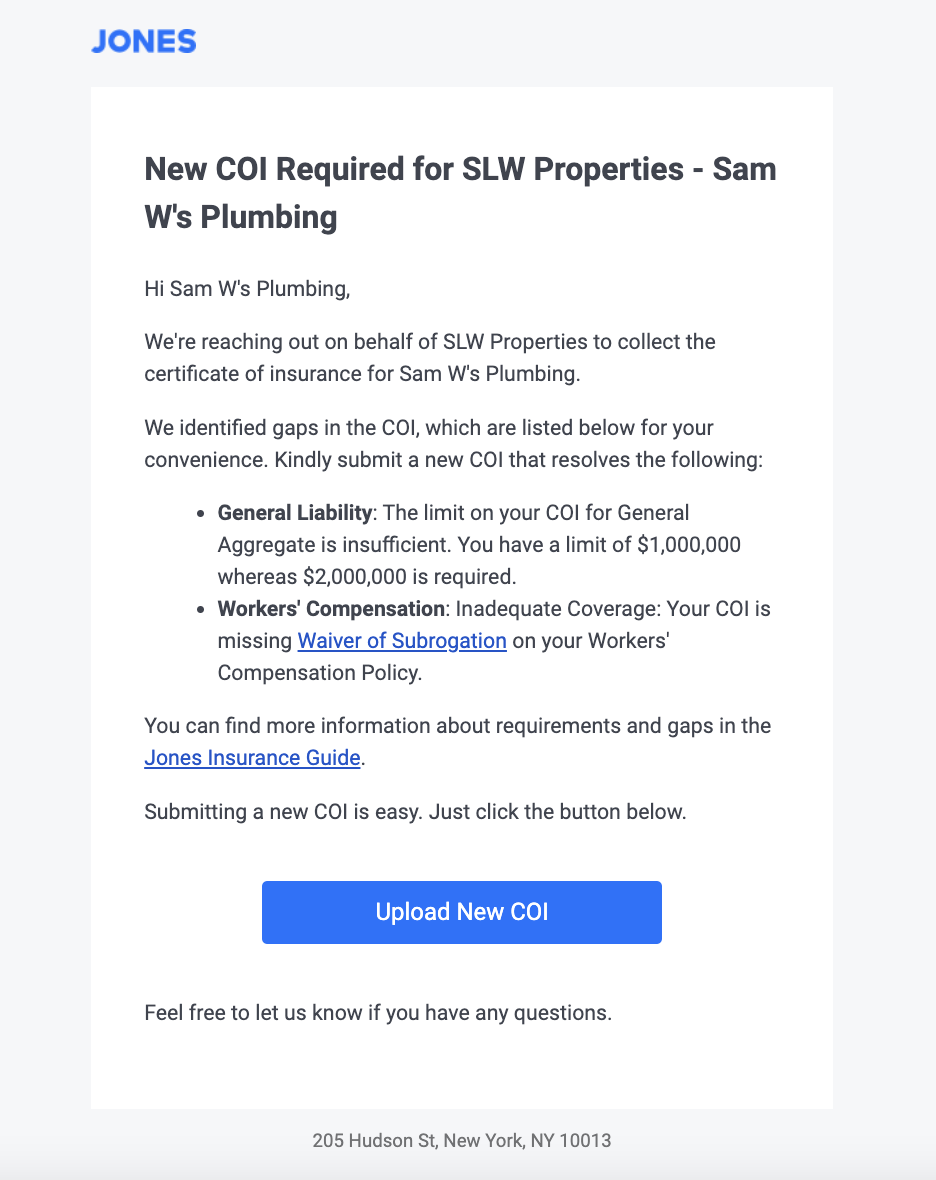
We solve this problem through branded emails that contain the least insurance jargon to increase COI collection rates and speed up the verification process.

We take away the stress of knowing you’re not protected from risks.

We do the heavy lifting for you: collecting the documents, verifying them for accuracy, automatically following up with vendors, and much more.

Advantages of Jones

Automation
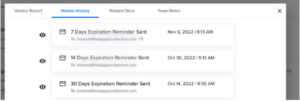
Jones automates COI collection and follows up with vendors who haven’t renewed their insurance.

Our verification process is also automated with a 99.9% accuracy rate. It takes 5 hours on average, making us one of the fastest COI verification tools in the industry.

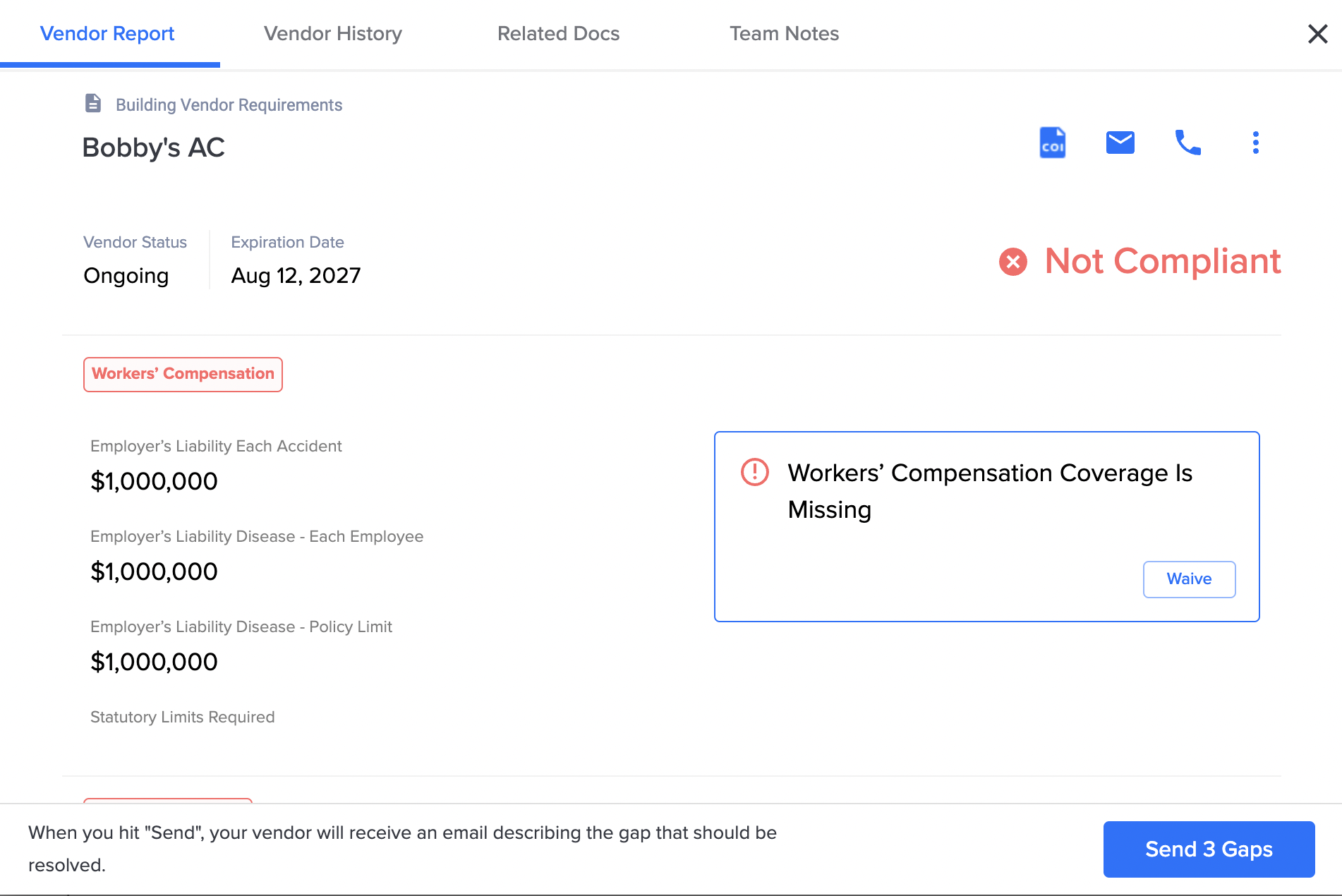
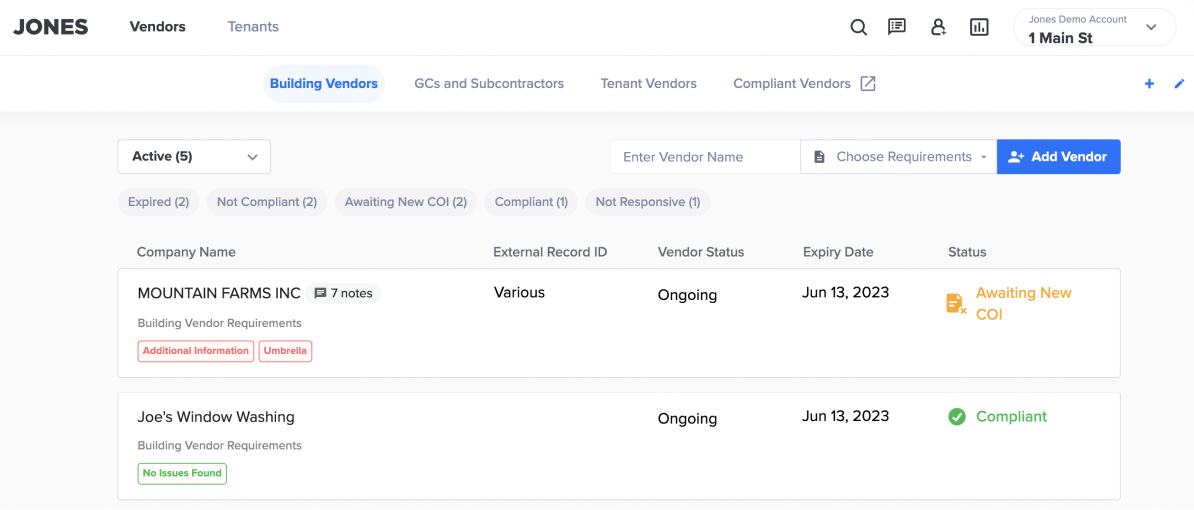
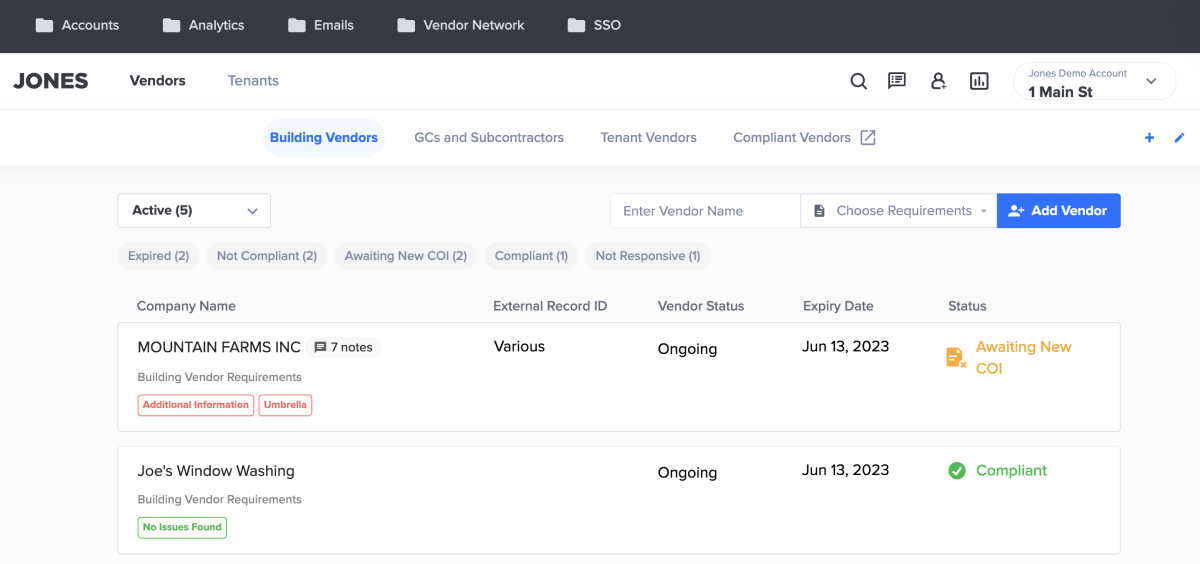
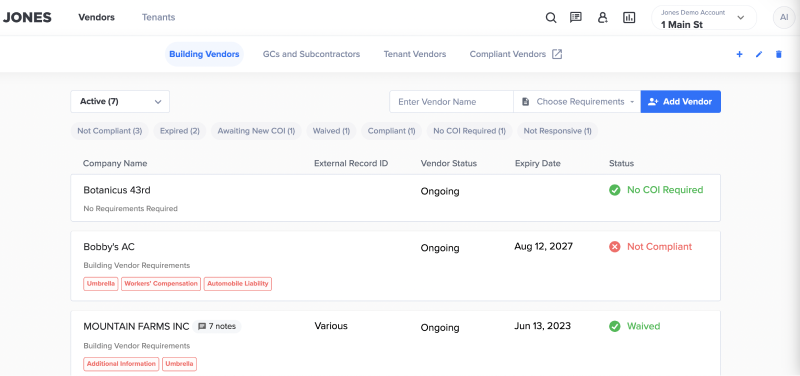
How Jones software looks

Excellent customer support
Jones’ support team is responsive and reliable. The best part is that tenants can contact our customer support with insurance-related questions without involving vendors or property managers. This frees up your time so that you can focus on other things.

Friendly UI/UX
Once you sign up with Jones, the implementation process with our team takes a few weeks, not months.

And thanks to the intuitive and easy-to-navigate layout, it only takes a few days to learn and get used to the tool.

Furthermore, approving vendors is a one-click process as you can quickly view their COI status on the home screen.

Vendor Insurance Verification example

Shortcomings of Jones

Not every tool is 100% perfect. Jones is no different.

Limited Industries
Currently, we only serve property managers in real estate and construction companies, including their insurance brokers.

In many ways thisis an advantage for companies in these industries as the product is specifically designed and tailored to their needs compared to other Compliance Depot alternatives.

TrustLayer: Best for all stakeholders in the insurance circle

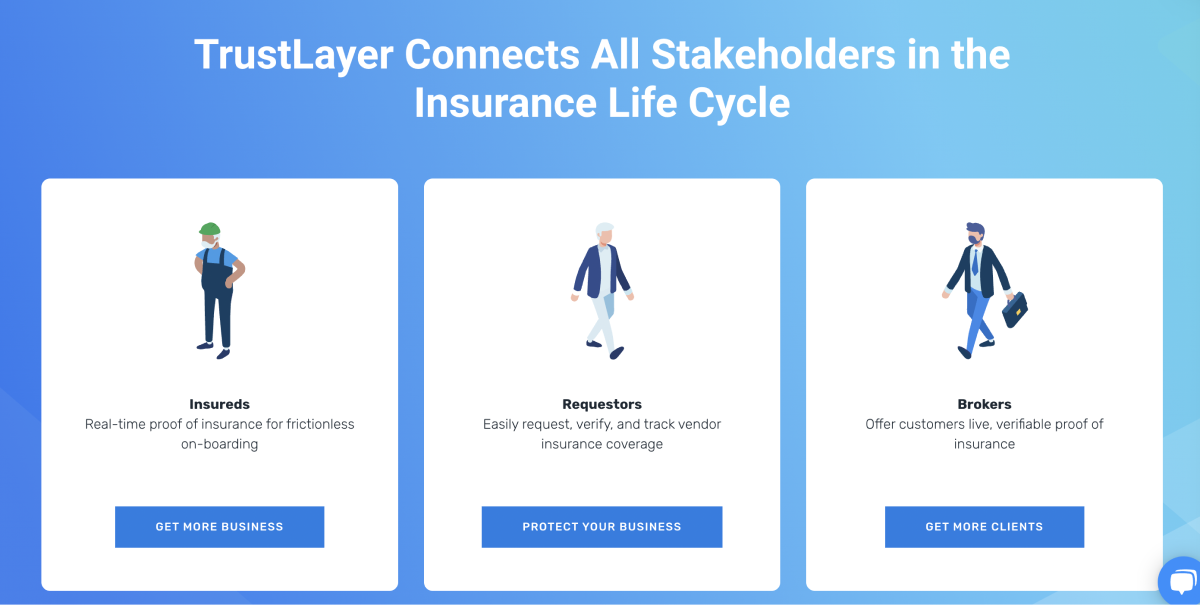
TrustLayer is a Compliance Depot alternative that connects all stakeholders so they can mitigate risk. It divides its target audience into three groups:

Insureds
These are vendors who use TrustLayer for real-time proof of insurance for frictionless onboarding.

Requestors
Property managers can use TrustLayer to request COIs, verify them, and track vendor compliance.

Brokers
Instead of doing the heavy work, requestors (property managers) can hire brokers to offer live verifiable proof that a vendor they’re about to hire is compliant.

However, they are more focused on selling their platform to brokers than the other two. The brokers then provide the software to their clients or manage insurance compliance on behalf of their clients.

As a matter of fact, they’re trying to create a digital policy verification system. This will work directly with the carriers so that policy information and cancellations can be digitally processed through brokerages, enabling brokers and their clients to process insurance certificates more seamlessly.

Advantages of TrustLayer

Easy to use
TrustLayer’s onboarding process isn’t technical. It has an intuitive design making it easy to navigate. Plus, the development team is responsive and will quickly help you get the most out of the tool.

Impressive dashboard
TrustLayer’s dashboard is eye-catching, rich, and insightful. All collaborators/partners see their compliance statuses in real-time right on the homepage.

Leaves decisions to brokers and clients
The tool doesn’t automatically approve a vendor’s COI without input from the broker and their client. This maintains better working relationships between all the parties involved.

Shortcomings of TrustLayer

Below are some of the issues with TrustLayer.

Inaccurately verifying vendors insurance docs
While TrustLayer says that it tracks your entire documentation workflow, users complain that it’s not as accurate as it claims to be regarding documents like W9s, attestations, and other contracts.

Lease extractions
TrustLayer doesn’t do lease extractions or contract requirement extractions. (We actually had a customer who signed with TrustLayer and switched to Jones because TrustLayer couldn’t do contract extractions.)

Industry agnostic
While they do try to sell to General Contractors and Developers, they are industry agnostic, which means their product is not focused on construction and may have some limitations that don’t resolve industry-specific needs.

myCOI: Most automated COI management software

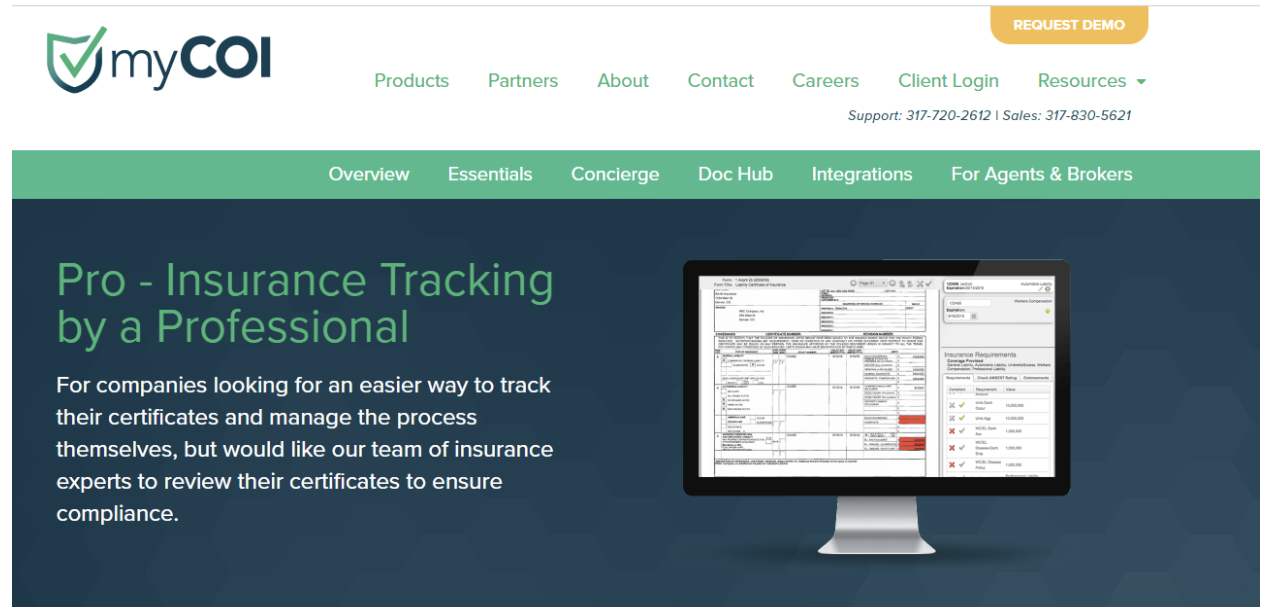
Real estate compliance software - myCOI

myCOI came onto the market after the 2008 market collapse when companies started thinking about how they could better manage risks.

While Compliance Depot was only started three years later, the two tools have been neck and neck with each other.

The only difference is that myCOI is laser-focused on COI management and tracking. It even does quarterly proactive outreach to confirm if vendors/tenants are actually still paying for their coverage.

Advantages of myCOI

Here are a few things you’ll love about myCOI.

Responsive customer support
Their support team will occasionally call your company’s insurance team and they are responsive to customers. They offer a streamlined approach for your internal and external teams.

Real-time tracking
While this is a general function for all COI management tools, myCOI goes a step higher to offer real-time tracking like non-compliant notes, expiration dates, and policy numbers.

Collaboration capabilities
You can deal directly with their insurance agents. myCOI gives them real-time access to view your contract insurance certificates. This removes the telephone game as vendors don’t have to follow up with agents physically.

Shortcomings of myCOI

Sure, myCO’s advantages are compelling, but they have a few flaws that might make you think twice.

Tenants and vendors need logins
This creates a huge barrier to entry and reliance on tenants/vendors just to get on board. As a result, it may take a long time to onboard and implement myCOI.

COI review takes much longer
The tool’s COI review process isn’t as quick as you might need it to be. It takes longer, especially during the popular renewal seasons.

Docutrax: Best for all industries

Docutrax - Ebix Alternatives

Docutrax is another COI management software that can help reduce your risk of exposure to third-party liability.

While it’s old and outdated software, it has two benefits you might appreciate.

One is that it can simultaneously track up to 500 COIs and other insurance documents. This is handy for commercial real estate companies with many buildings to manage.

Secondly, like Jones, Docutrax doesn’t completely rely on its system to verify all the insurance documents. They have a team of licensed insurance experts to manage the entire process for you. They can spot any minor errors that the system missed.

Advantages of Docutrax

Real-time tracking
This feature comes in handy for users on the go. You can log in to the platform anytime to track leases and maintenance schedules and view your COI verification process in real-time.

Branded emails
Vendors and tenants are often overwhelmed by insurance jargon when asked to produce their COIs, reducing the collection rate.

Docutrax understands this and tries to create personalized and branded emails to make the collection process easier.

Insurance broker collaboration
Docutrax allows the vendor’s insurance broker to access their systems through secured web forms. This takes the heavy work of COI submissions away from vendors or tenants, which is also a win for the property manager.

Shortcomings of Docutrax

Docutrax is excellent, but not every tool is best for everyone. Here are some of its disadvantages.

Steep learning curve
Sure, it won’t take six months to get used to the tool. But the system is outdated with a clunky dashboard, which takes time to navigate.

Tenants and vendors can’t access the platform
Docutrax only allows property managers to access their system. Vendors and tenants must send their documents by email to property managers to review them. This is more tedious for both parties when you have to make several follow-ups.

Compliance Depot - Real Page

Compliance Depot, now acquired by RealPage, is a platform that connects vendors to project managers.

It does this by reviewing vendors’ credentials to know if they are fully insured and ultimatelymitigates risk for their clients (property managers).

Technically, vendors will submit all their required information to Compliance Depot. It will then verify all the docs to check if they comply with the client’s requirements.

Once done, Compliance Depot will add the vendor to their marketplace. The vendor will then wait for a call from a property manager looking for their services.

For example, let’s say that you’re an electrician. Once you’ve registered with Compliance Depot and had your COIs and other documents approved, they’ll list your name on their vendor marketplace as an approved electrician.

A property manager registered with Compliance Depot in your area might be looking for an electrician. They’ll check RealPage’s vendor marketplace, where they are likely to see you as an approved vendor and contact you.

RealPage also has a credential key program for property managers that need vendors on site within 24 hours. These are pre-vetted vendors that have been thoroughly vetted and are eligible for same-day approval.

Advantages of Compliance Depot (RealPage)

Easy to use
Both vendors and property managers enjoy a presentable interface that’s easy to navigate. The dashboard offers insightful analytics and reports for property managers to make informed risk decisions.

Market visibility
One of the significant upsides for vendors is that they get exposure to potential clients on RealPage’s site, especially if they are in the credential key program. Plus, the strict verification process vendors undergo might weed out their competitors.

This leaves property managers with very compliant service providers, which is a win for both parties.

Intensive background checks
Apart from reviewing COIs, property managers can request Compliance Depot to go deeper and review vendors’ criminal records and credit checks.

The tool will gather all these documents and check for compliance to ensure everything is in good standing.

Shortcomings of Compliance Depot

While Compliance Depot offers convenient features and benefits, not every property manager and vendor is happy with it.

Charges vendors
Vendors pay to be listed on RealPage’s vendor marketplace and to have their COIs verified. The price was $75 per year at the time of writing this article. Every vendor must pay this fee even if they don’t get hired for a project.

Poor customer support
Users complain that getting someone to pick up your call takes too long. Plus, you might have to go through several people before getting the right person.

With all these shortcomings, you need to seriously consider whether Compliance Depot (RealPage) is the tool you want to use to handle your COI management.

Final verdict

After going through this review of RealPage alternatives, it’s time to choose.

You need the best tool to manage your COI compliance professionally and accurately. Not every option may meet your needs.

Here’s the lowdown:

  • Use TrustLayer if you want a RealPage alternative that’s easy to use, affordable, and can connect all stakeholders.
  • Choose myCOI if you’re looking for a highly automated and affordable Compliance Depot alternative.
  • Go for Docutrax if you’re a large enterprise that needs COI Management software that can verify many documents at once.
  • If you’re looking for a Compliance Depot alternative for the Real Estate and Construction industry with fast COI verification rates, use Jones.

Our tool automates all processes from COI collection and verification to tenant/vendor communication. We have an average audit time of 5 hours and a rate of 99.9% accuracy for auditing COIs.

Ready to take us out for a test drive?

Book a demo today to improve your property’s performance.

We Tested 4 Of The Best Real Estate Compliance Software Tools

Real Estate Compliance Software

TL;DR Summary

If you’re short on time, here’s the TLDR:

1. Jones – An easy-to-use COI management tool that offers the fastest COI verification for real estate and construction companies.

2. SmartCompliance – An easy-to-use COI management software that allows you to manage all of your insurance docs from one dashboard.

3. BCS – Real estate compliance software made more efficient thanks to its many integrations and intuitive dashboard.

4. myCOI – Allows you to track multiple documents for real estate (though a few cases of inaccuracy have been reported).

Note: interested in exploring how Jones can help you automate your compliance management end-to-end and de-risk your building? Talk to our team of experts today!

Let’s Chat!

Jones — Most accurate COI management software for real estate and construction companies
real estate compliance software - Jones

Yup, that’s us. But we’re not here to promote ourselves.

We want to provide you with an objective review of our leading real estate compliance products. Our goal is to help you find the best real estate compliance software that resolves your issues.

Now, let’s review Jones.

Jones is a COI management platform specifically designed for real estate and construction companies.

We know how hard, exhausting, and time-consuming it can be for property managers to manage their COIs. You have to continuously follow up with vendors to collect compliance information.

Even after you manage to do that, you spend countless hours reviewing those COIs and managing their expirations and renewals.

That’s why we built Jones – to remove this burden while providing property managers with a 99.9% audit accuracy.

Long story short, Jones is a compliance management software created for real estate and construction companies. It helps you collect, review, and monitor COIs for multiple vendors, tenants, or subcontractors.

Schedule a demo with our team to see how Jones can help you accelerate compliance and reduce risk, or read further to see why you should (or shouldn’t) use Jones.

Key Features of Jones

1.  99.9% COI audit accuracy combined with an audit turnaround time of 5 hours on average

With Jones, you can sleep better at night knowing the COIs collected from your vendors, tenants, or subcontractors are professionally audited in 5 hours on average with a 99.9% rate of accuracy. We use two main methods to accomplish this:—First, we review all of your COIs with a powerful AI.—Then, our in-house compliance experts manually review your documents, ensuring nothing has been missed.

2. Responsive support
We know that property managers and vendors are not compliance experts. That’s why our compliance experts offer 24/7 support regarding any compliance issues.

3. Automation
Jones can be configured to send automated messages notifying vendors of compliance issues or to remind them about renewing their insurance coverage.

One property management team reported cutting COI-related workload by over 50% with Jones, reducing weekly admin time from hours to just minutes. Compliance rates also improved from under 40% to over 50% within months.

email screenshot

Jones – Limitations

1. Email volume
The most common complaint we get from tenants is the volume of compliance-related requests.

Unfortunately, this is unavoidable because tenants need to receive emails about their COIs and will also be cc’d on emails sent to vendors.

It’s an issue for all real estate compliance software tools. However, Jones has developed a process to make the emails less irritating through expectation management and tenant training.

Jones User Feedback

Users of Jones consistently report a very positive experience. Many reviewers highlight the platform’s outstanding customer support, noting its responsiveness and proactive assistance with any issues. They also praise Jones for significantly improving internal workflows and making compliance processes more efficient, with some mentioning that the tool is extremely easy to use for certificate management tasks. Overall, while no software is perfect, the feedback indicates strong satisfaction with Jones’s ease of use and the time savings it provides.


SmartCompliance: Centralized Insurance Document Management

real estate compliance software - smartcompliance

SmartCompliance is a COI management software built for multiple industries but focuses mostly on commercial real estate.

Their software allows you to manage all of your tenants’ COIs from one dashboard. This means you can collect, track, and monitor all insurance coverages without jumping from one tab to another.

And since it’s a web app, you can access it from anywhere as long as you have internet access.

In addition, SmartCompliance has a full-service offering that entails a group of qualified insurance professionals who can manage the entire COI process for you. This includes setup, collection, compliance review, and tracking.

Key Features of SmartCompliance

Many users are happy with what SmartCompliance has to offer.

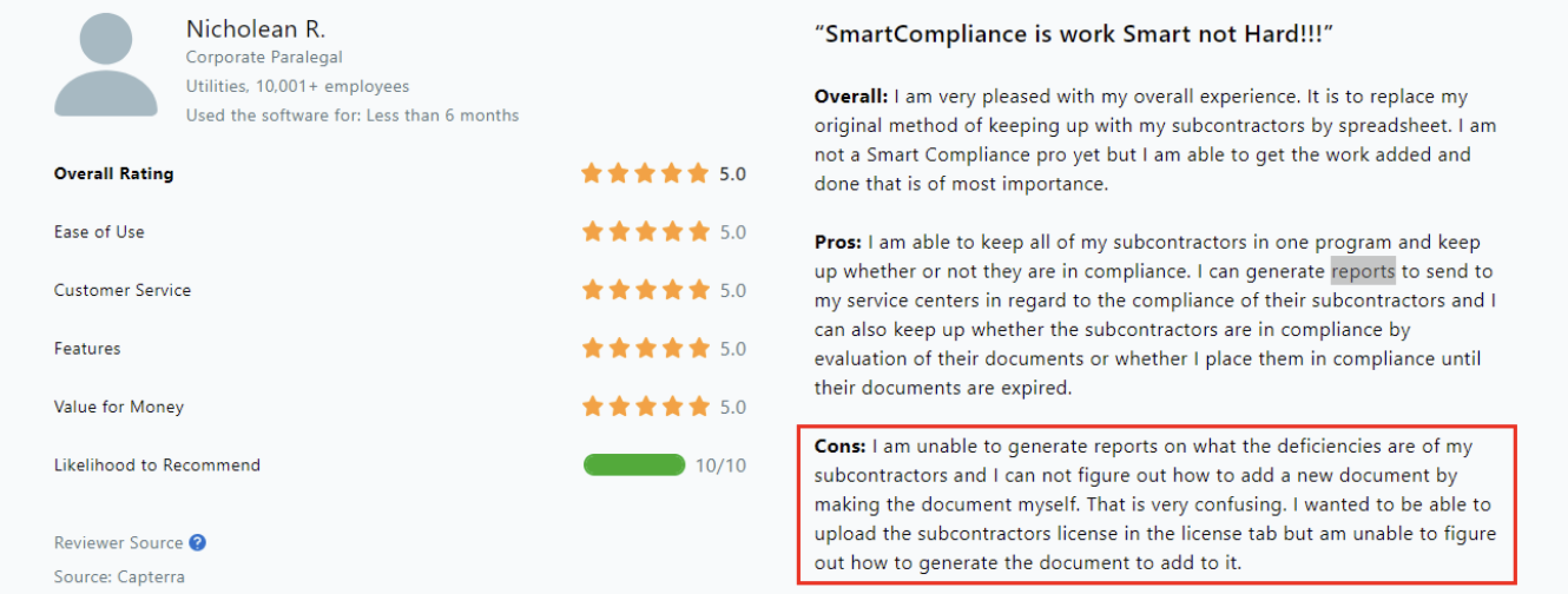
The numerous positive reviews on Capterra can attest to this.

capterra review

Below are some of the reasons you should consider this software.

1. Intuitive design and dashboards
SmartCompliance’s design is user-friendly and displays all the critical information on an intuitive dashboard. This makes it easy for property managers to view insights about their levels of risk and compliance.

2. Multi-party collaboration
The fact that SmartCompliance allows all parties to access the platform is a plus for busy property managers.Vendors can upload all their documents and allow administrators as well as subsidiaries access to the site. The best part? You can customize what everybody can view and/or edit in the system.

3. Automated notifications
You can set SmartCompliance to send occasional messages to vendors who need to renew their insurance certificates.

SmartCompliance – Limitations

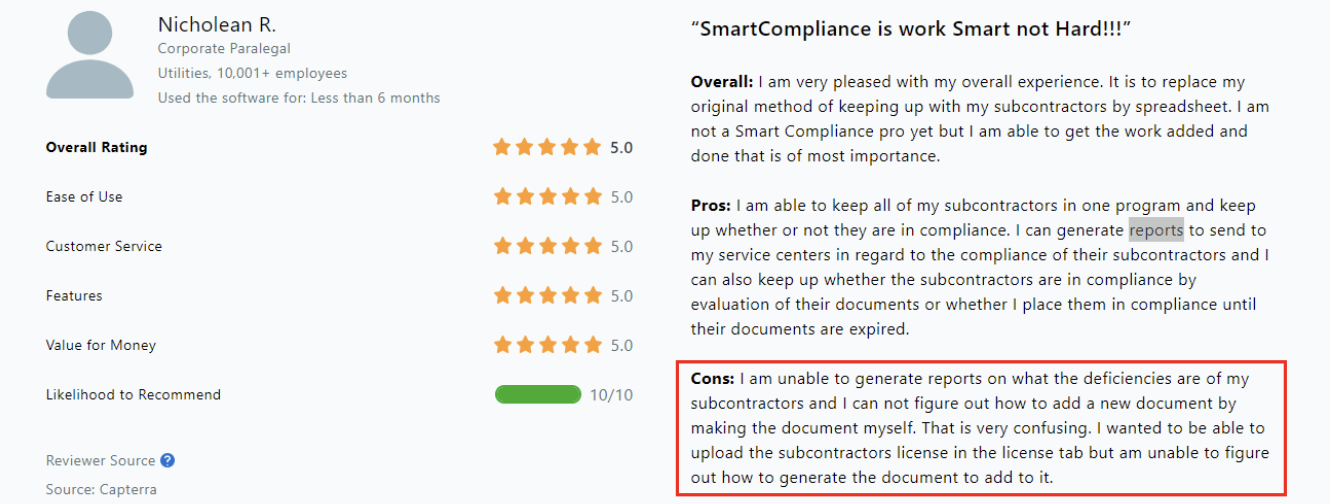
1. Low-quality reports
SmartCompliance has an insightful dashboard, but most users claim that it doesn’t give them the kind of information they want.For example, you can’t generate reports on what policies your subcontractors are missing in their COIs for effective decision-making. Plus, you can’t customize or summarize reports.

capterra review smart compliance 2


2. System rundowns

SmartCompliance users have raised concerns that the system occasionally freezes.Or sometimes, it stops reading documents, and when this happens, a large percentage of the documents fail altogether. For example, it may add check marks to categories that weren’t checked off on the actual document.

3. Longer onboarding process
There are many steps to learn and implement when using the tool.

When onboarding takes longer than expected, it won’t resonate with people who are looking for a simple solution to solving COI management.

User Feedback on SmartCompliance

According to user feedback, SmartCompliance offers helpful features like allowing vendors to upload their own documents and letting administrators customize settings for different subsidiaries or departments. This makes day-to-day monitoring of hundreds of vendors more manageable for organizations. However, reviews also report some issues with the system’s reliability and automation. For instance, the automatic certificate reading (OCR) feature can be finicky, often requiring manual corrections to ensure the data is recognized correctly. Additionally, some users have encountered system errors when uploading attachments or finding that scheduled emails do not always send out as expected. These pieces of feedback, while expressed in a neutral tone, underscore the areas where SmartCompliance may fall short and need improvement, even as it provides a generally useful service.

BCS – Easy-to-Use Compliance Tool with Broad Integration Capabilities

BCS is another great real estate compliance management software that tracks multiple documents like COIs, W9s, agreements, policy pages, and more.

Amidst all the noise on its features list, one thing stands out – an intuitive interface making it easy to navigate.

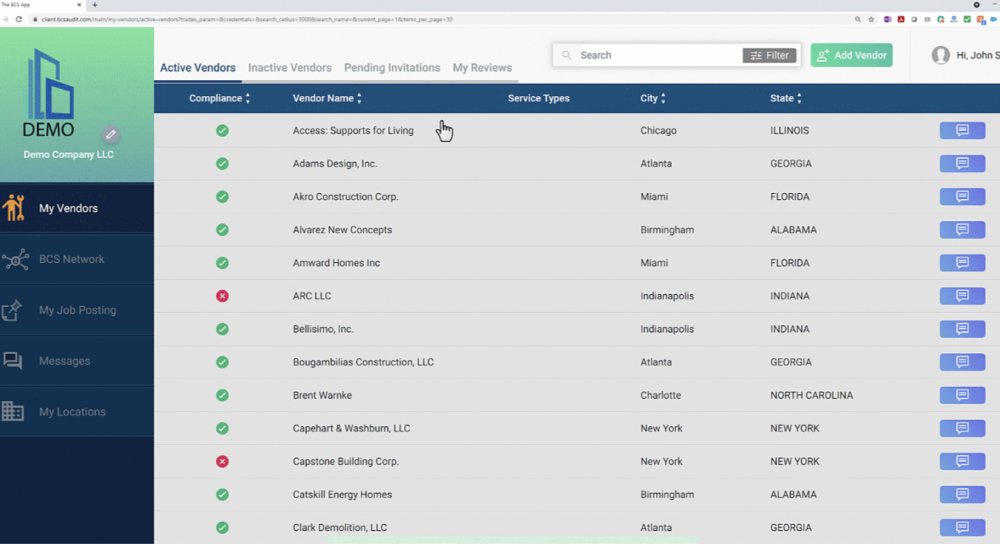
For example, here’s a screenshot of their vendor management dashboard.

BCS dashboard

Through their dashboard, property managers find it easy to collect COIs, verify them, and communicate with vendors.

Another feature is the vendor dashboard that connects tenants with service providers.

If you’re managing real estate, you’ll need compliant vendors to work on your property.

The first step is to invite multiple vendors from the platform to your upcoming project. This will start the onboarding process.

They’ll fill out their company information and contact details before submitting their COIs within the platform. BCS takes it from there by reviewing the submitted documents (a process you can view in real-time).

BCS – Key Features

BCS has a powerful user experience.

Here are some advantages compared to other compliance management software tools.

1. Customer support
The tool offers two plans, and both offer unlimited technical support. This means you can make the best use of the software with full support from their team.

Plus, once you sign up, you’ll get a dedicated account manager who will be able to assist you both during and after the onboarding process.

2. Numerous integrations
When managing real estate you don’t want to jump from one tool to another. This is a big waste of time.

BCS integrates with top property management, accounting, CRM, and procurement software.

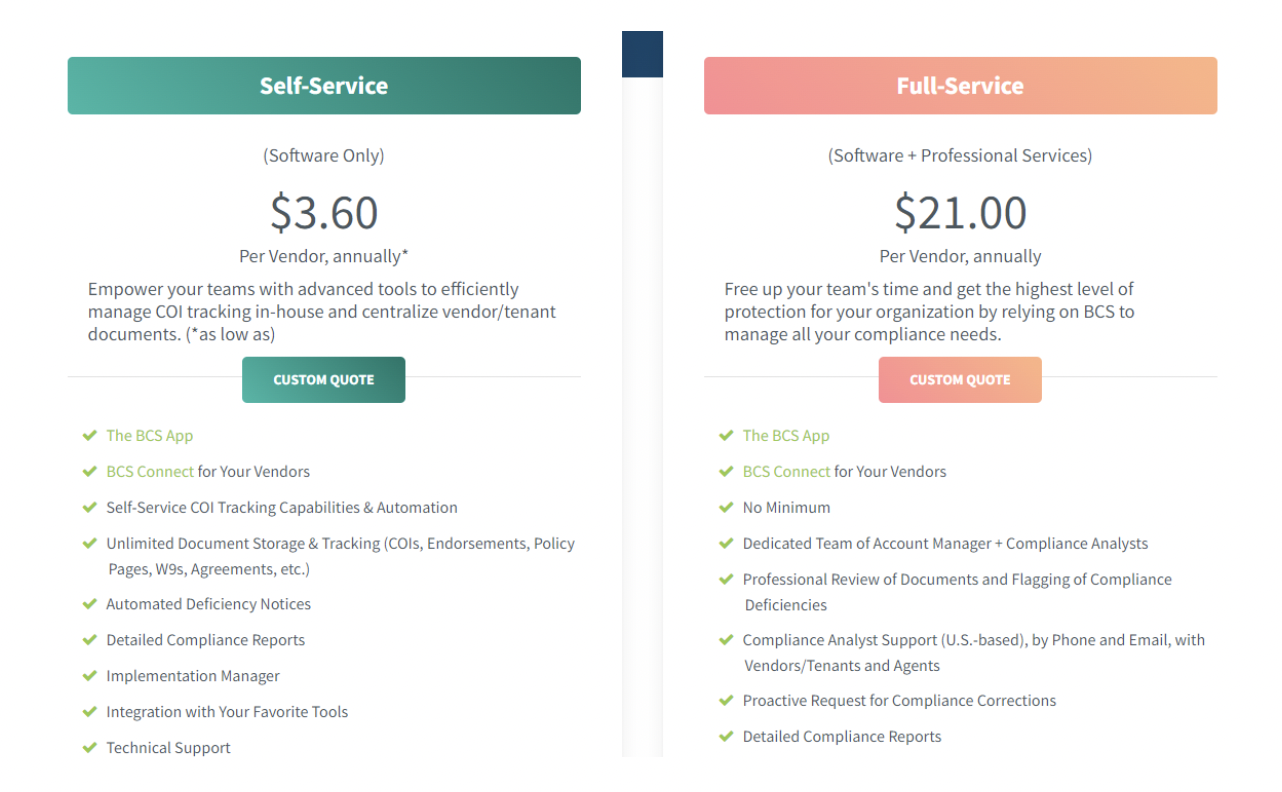
3. Transparent pricing
Most COI management tools don’t share their pricing publicly. You only get to know how much it will cost after the demo.

BCS is an exception and has displayed pricing on their website:

BCS pricing

BCS Limitations

BCS is ideal for property managers looking for an easy-to-use and reliable COI management tool.

But that doesn’t make it the only go-to tool for compliance management. It still has a few flaws that you should consider.

1. It’s industry agnostic
BCS made it to our list of the best real estate compliance software tools because most of its features resonate with real estate companies.

For example, it offers a tracking solution that grows with your real estate portfolio and provides responsive customer service to tenants and vendors.

However, they aren’t focused on one industry. BCS operates across nine other industries.

Because BCS isn’t a real estate-only solution, it’s not as suitable for real estate as other options on the list.

BCS User Feedback

Many users commend BCS for its user-friendly design and the efficiencies it brings to certificate tracking. For example, the dashboard makes it easy to monitor compliance status and send notices to vendors, and the implementation process is described as straightforward. At the same time, reviews highlight some pain points: handling out-of-compliance cases isn’t always straightforward and sometimes requires manual workarounds to force compliance. Others note that certain features could be improved – one common gripe is the automated messaging system, which cannot fully be turned off for certain alerts, coupled with the observation that customer support response has occasionally been slower than expected when starting out. These neutral-toned critiques indicate that while BCS is effective in many areas, there are notable areas where users see room for improvement.

myCOI – Insurance Tracking Software for Multi-Document Oversight

Real estate compliance software - myCOI

myCOI is a familiar name in the industry as it’s one of the oldest compliance tools dating back to 2009.

It has unique features that resonate with real estate owners looking to simplify COI management.

Benefits like accurate COI tracking and beautiful dashboards make managing the COI processes pleasurable.

Another vital thing to note is that myCOI goes beyond just reviewing COIs, thanks to a feature known as the Document Hub.

Document Hub has three benefits:

It allows you to review multiple insurance documents, including tax and other insurance forms. This is handy as you don’t have to add more systems to manage your entire arsenal of documents.

Document Hub is a central communication point. This means you can send automated communications to all the stakeholders involved in executing contracts and ask them to send relevant documents for compliance purposes.

For example, you can use the same platform to communicate with your CPA about tax docs and to automatically follow up with vendors who’ve not yet renewed their COIs.

Lastly, Document Hub offers reports on all your documents. You’ll get customized reports on COIs, W9s, and licenses on the same platform.

Key Features of myCOI

1. Ease of use
myCOI’s onboarding process is seamless, and you’ll find it easy to navigate through the platform. Plus, it doesn’t take long to get used to it.

All the processes—from collecting documents, verification, tracking, and communicating with all parties—are simple.

2. Good customer support
Most users on G2 have applauded myCOI for its excellent customer support.

3. Automated messaging
Most users appreciate that myCOI stays on top of vendors and subcontractors to inform them about insurance docs that are nearing expiration without involving the company.

myCOI – Limitations

While myCOI has attractive features, it’s not the best real estate compliance manager for everyone.

Below are some flaws that you should be aware of.

1. Document Hub isn’t user-friendly
While myCOI is an easy-to-use tool, users who’ve tried the Document Hub feature claim it’s not user-friendly enough, thus downgrading its functionality.

For example, this user says that while she loves myCOI, Document Hub doesn’t allow her to upload her own documents.

mycoi review

2. Reviewing COIs takes time
You’ll have to be patient while myCOI verifies your COIs, as it takes a little longer than other compliance software in this category. Users have reported that especially during the popular renewal times, MyCOI’s audit time is heavily delayed.

User Feedback on myCOI

Users acknowledge myCOI’s long-standing presence in the industry and some strengths, but their feedback also points out several pain points. A number of reviewers mention the software’s interface can be cumbersome or unintuitive – for instance, one G2 review said the system is “bogged down with shortcuts and too many ways to do one thing,” suggesting a confusing user experience. Speed is another concern: while myCOI automates COI collection, some users report that certificate reviews can be slow, occasionally requiring manual follow-ups. One user noted they sometimes have to email their contact at myCOI to expedite a COI review that’s taking too long. Other feedback highlights minor inconveniences and missing features. For example, finding specific documents can be challenging due to the lack of a standard naming convention in the system’s storage, making it hard to locate the needed COIs. Onboarding new users or setting up the system is described as lengthy, though “ultimately worth it” in terms of benefits. In summary, while myCOI is recognized for automating insurance tracking, users give neutral-sounding feedback that actually underscores frustrations with its efficiency and usability. Common themes include a clunky interface, slower document processing, and the need for improvements in organization and workflow speed.

Final verdict

Let’s quickly recap what we’ve just covered.

  • SmartCompliance suits property managers who appreciate beautiful dashboard designs more than feature-sophistication.
  • BCS is a comprehensive compliance tool best suited for property managers, vendors, and tenants looking to manage their COIs efficiently.
  • myCOI flexes its muscles to track, verify, and manage all insurance docs that property managers may need.
  • Lastly, Jones emerges as the overall winner. Focusing explicitly on real estate, all of its features and benefits are geared to make compliance fast and easy for property managers.

If you want a ready-to-go compliance tool to handle your real estate COIs, feel free to contact Jones about a demo today.

Ready to take us out for a test drive?

Book a demo today to improve your property’s performance.

Jones Guide to Reviewing Additional Insured for Compliance

How to review Additional Insured for compliance

Table of Contents:

Note: interested in exploring how Jones can help you automate your compliance management end-to-end and de-risk your building? Talk to our team of experts today!

Let’s Chat!

What is Additional Insured?

To start things off, let’s talk about Additional Insureds. What purpose do they serve?

Additional insureds are entities other than the policyholder who are entitled to coverage under an insurance policy. Additional insureds are required to be added to an insurance policy when vendors enter new buildings or properties, or when tenants lease new spaces in order to protect the property manager and the landlord

It’s a way to de-risk the transaction.

Where to find evidence of Additional Insured coverage?

There are four main places where one would find information about Additional Insureds in insurance documents.

1. Description of operations box on the COI.
This is a free text box where the broker can write anything they want, including information about additional insureds. This is the most common place to find information about additional insureds.

2. Acord 101 form
Acord 101 is where a broker writes information that did not fit in the description of operations box because there’s limited space. It’s sometimes necessary to append an extra page where the broker can write in more details. And this is where we’ll also find information about Additional Insured.

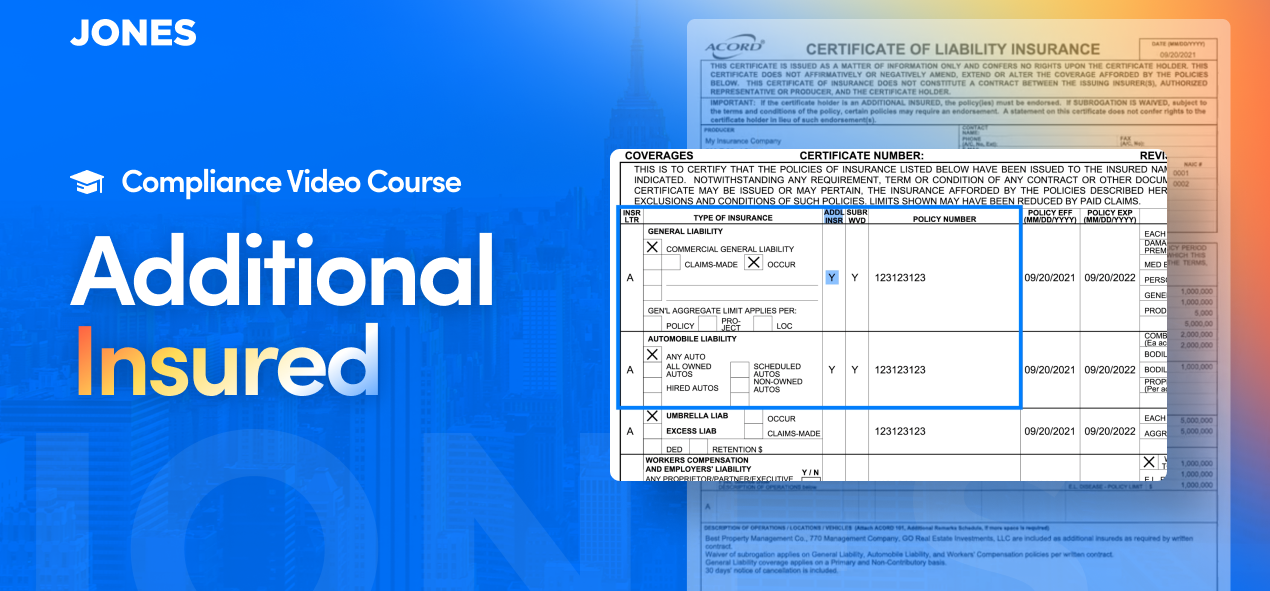
3. Checkbox on Acord 25 COI
If you see a checkbox checked off in this column, you know that the additional insured status applies to the respective policy.

4. Additional insured endorsements
Additional insured endorsements are separate documents that amend insurance policies to add additional insureds.

In order to better understand this, let’s review the difference between blanket and schedule endorsements.

Sometimes, Schedule endorsements are required, which means that the endorsement must list the Additional Insureds in the schedule. A schedule is a designated box that tells you who is an Additional Insured.

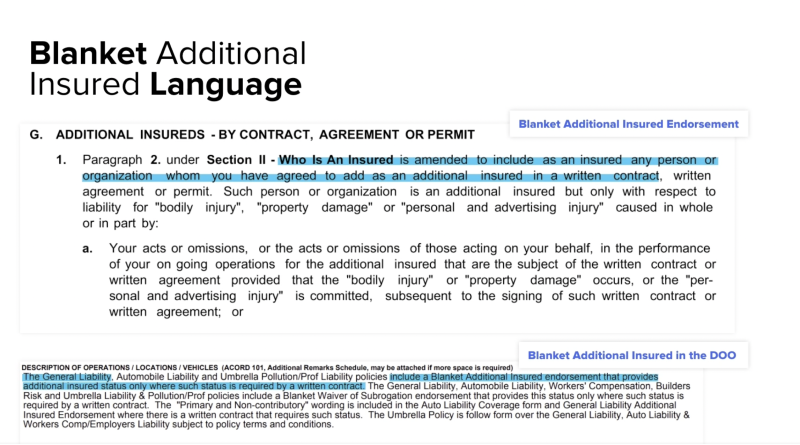
More commonly, we see Blanket endorsements.

Blanket endorsements provide Additional Insured status to any person or organization that meets a certain description – for example, to managers or lessers. A very common phrase we see on Blanket Additional Insured endorsements is “any person or entity as required per written contract”.

That means if there is an underlying contract between the vendor and property manager or landlord requiring that the latter parties be covered, the property manager and landlord are covered. It all depends on whether there is an underlying contract.

Ongoing Operations vs. Completed Operations

This relates to a very common question we get from our customers.

Completed Operations refers to the scenario where a vendor comes on premises, completes the job, and later on, after the vendor is off-premises and the job is done, an accident happens as a result of the vendor’s work.

Example: vendor comes and hangs a shelf. After they leave, the shelf falls. That accident and resulting liability result from Completed Operations.

There is a very well-recognized code, CG 2037, that indicates Additional Insured status for Completed Operations.

Ongoing Operations refer to a scenario in which a vendor comes on premises, and an accident happens while the vendor is still doing their work.

Example: if a vendor is painting a wall and the paint drips and destroys a rug, that accident and the resulting liability result from Ongoing Operations.

A very common code that is well-recognized for Ongoing Operations is CG 2010. If you see this code in the corner of the page, you know that endorsement is about additional insurance status covering Ongoing Operations.

It’s important to have coverage for both types of operations because, if you don’t, you might find an entire class of risks excluded from the insurance policy. In that case, the property manager and landlord will not be covered for any accident that results from that type of liability.

Blanket Additional Insured

For liability reasons, the Jones team does not advise clients what they should or should not require in terms of insurance coverage. However, we do spot trends and improvement opportunities in our clients’ insurance compliance management processes.

One strategy that has worked well for several real estate and construction companies is switching to accepting Blanket Additional Insured.

Here is what we see happening after our clients adopt Blanket Additional Insured requirement:

Compliance rate goes up
Issues related to Additional Insured requirements are among the top five reasons COIs gets flagged as non-compliant. When our clients switch to accepting Blanket Additional Insured status, we typically see a rapid 15 – 25% increase in compliance.

Time-to-compliance shortens by 24-48 hours
Our data indicates it takes on average between 24 and 48 hours to update a COI with a new Additional Insured. This is mostly due to the back-and-forth this update requires:

⇒ Vendor/tenant contacts their broker
⇒ Broker contacts the insurance company and requests a new Additional Insured to be added to the COI
⇒ Broker issues a new COI

Once Blanket Additional Insureds are accepted to fulfill additional insured requirements, the overall time-to-compliance for a COI goes down.

Looking for Subcontractor Compliance Management Software that Integrates with Procore?

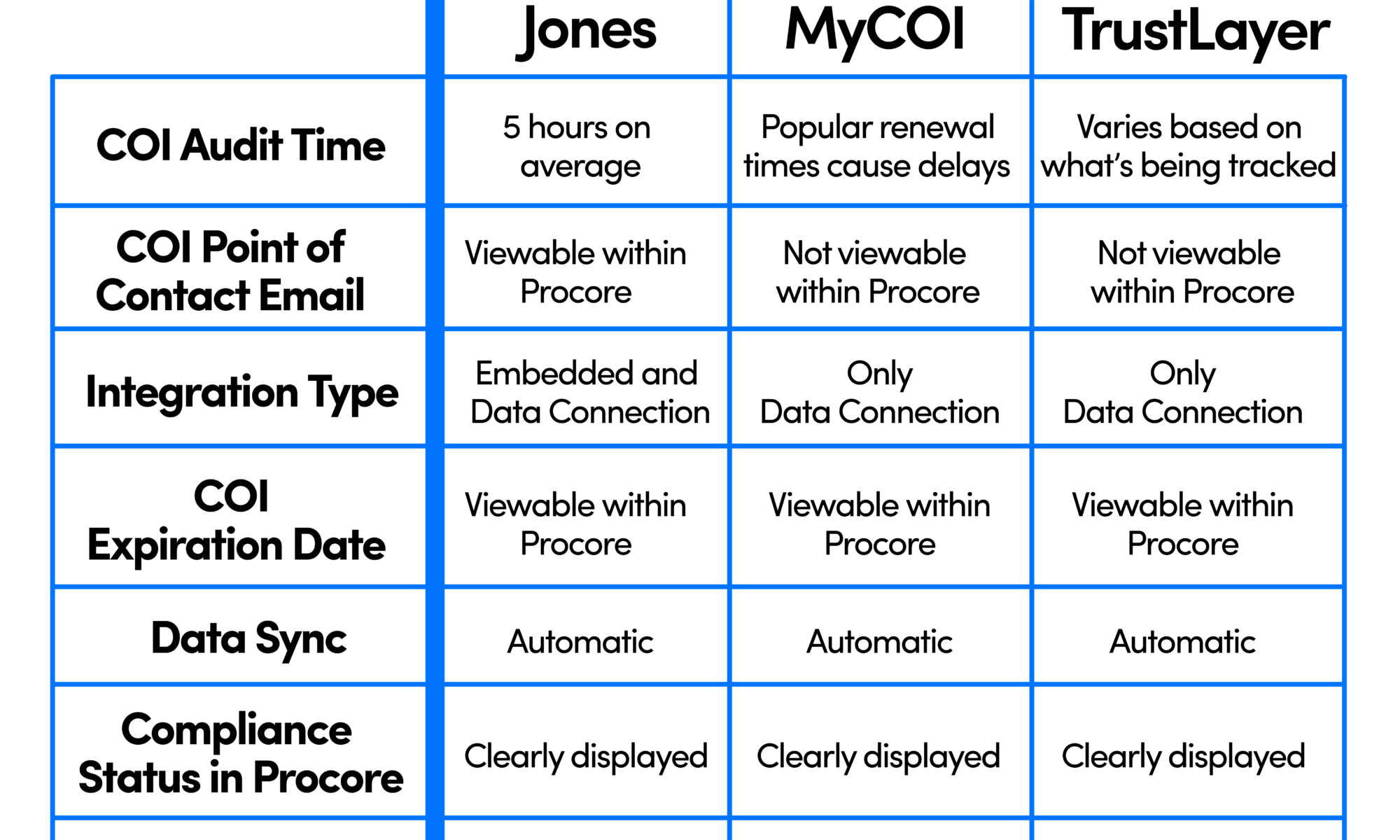
Chart comparing insurance compliance software that integrates with Procore for General Contractors

Why Integrate Insurance Compliance Software with Procore?

Compliance Management Companies can help mitigate risk, but their solutions are only truly effective if integrated efficiently into existing workflows.

For example, take a look at Bulley & Andrews, a Chicago-based ENR 400 Construction Firm. The biggest problem with their previous compliance software was the fact that it didn’t integrate with Procore. They were uploading, monitoring, and updating compliance data manually and then reporting it back to Procore. This was wasting 2-3 hours per week per project accountant and delayed about 50% of payments to subcontractors.

Jones was the only company that could enable Bulley & Andrews to create new projects and send COI requests to subcontractors directly within Procore. Switching to Jones led Bulley & Andrews to:

  • Save hundreds of hours on managing insurance compliance
  • Pay subcontractors significantly faster
  • Streamline their entire compliance process

“Adding the Jones workflow to our Procore system really improved our overall efficiency. Bulley & Andrews now has a streamlined process, when all insurance compliance-related tasks are initiated directly from within our Procore account.”

Dana Erdman
Director of Technology & Innovation, Bulley & Andrews.

(You can read more here about why Bulley and Andrews’ switched to Jones)

Chart comparing insurance compliance software that integrates with Procore for General Contractors

Subcontractor COI Audit Time

Subcontractor Certificate Of Insurance audit time with Jones Procore integration

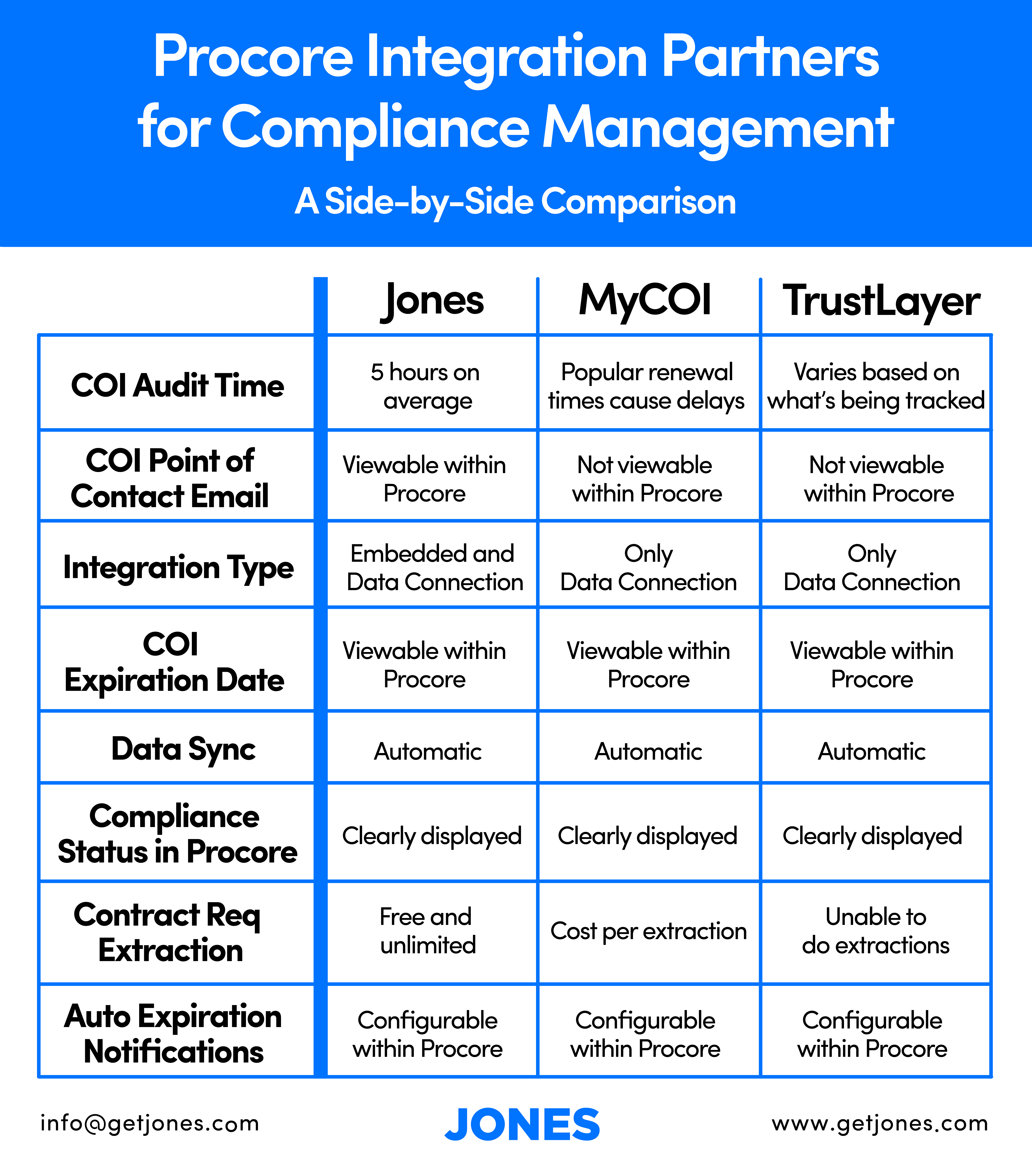
It’s critical for your compliance management solution to audit COIs in a timely manner. Quick audits will enable your subcontractors to get paid and start working faster. Jones has one of the fastest COI audit times in the industry – always under 24 hours. Even during the busy renewal periods, Jones average audit time only increases by 3 to 4 hours at most.

MyCOI customers have reported significant audit time delays around the busy renewal periods and TrustLayer’s audit times vary based on the components they are tracking within a COI. Other compliance management solutions not featured on this matrix such as SmartCompliance have a 48 hour audit time.

Subcontractor COI Point of Contact Email

Subcontractor Certificate Of Insurance point of email contact in Procore

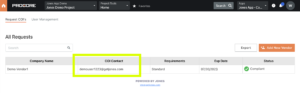
Imagine opening up your Procore account and seeing a subcontractor who is supposed to come work on your construction project next week but their insurance is not-compliant. You’ll need to get in touch with that subcontractor ASAP and get them compliant before coming on site.

Jones is the only integration partner that can store a best COI point of contact email directly next to the subcontractor’s insurance information within Procore so you can quickly see who to contact without needing to search anywhere else.

Subcontractor Best point of contact for Certificate Of Insurance in Procore

Procore Integration Type

insurance compliance software for construction companies to manage subcontractor COIs

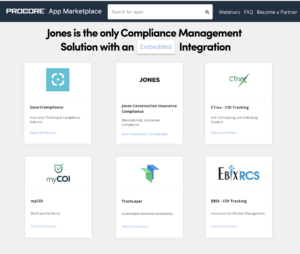
Jones is the only compliance management solution that has an Embedded Integration within Procore. Not only is this true for the two other companies on this matrix, but also amongst the many other compliance management solutions on Procore’s app marketplace including SmartCompliance, EBIX, and CTrax as well.

Types of Procore insurance compliance software integration partners for General Contractors to choose

So what does an “embedded” integration mean? You can read the technical details directly on Procore’s documentation page here, or in our quick summary below:

Data Connection Apps

Just import and export data between your compliance management software and Procore. Example: showing the expiration date of a subcontractor’s COI within Procore.

You’ll still need to leave Procore to do essential functions such as sending a COI request to a subcontractor.

Embedded Apps

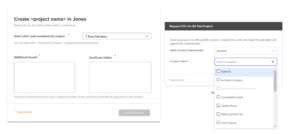
Actually enable you to do compliance management tasks in Procore. Example of tasks you can do directly within Procore:

  • Create new projects
  • Initiate COIs requests to subcontractors
  • Upload COIs from subcontractors

This is by far the biggest advantage Jones has over every other compliance management solution that integrates with Procore.

Features for General Contractors within the procore integration

Other companies require their users to switch back and forth between platforms to do these actions. No other compliance management app has the ability to initiate these crucial tasks within Procore.

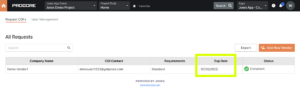
Subcontractor COI Expiration Date

Subcontractor COI Expiration Date on Procore

All integration partners display COI expiration dates within Procore. They can be found by going to the directory, clicking on a subcontractor, and within the insurance tab.

Subcontractor Certificate Of Insurance expiration date in Procore

Data Sync to Procore

Data Sync of Subcontractor Certificate Of Insurance information for General Contractors

Jones, MyCOI, and TrustLayer all automatically sync data into Procore. You won’t have to worry about manually syncing data with any of these companies.

Data flows instantly from Procore → Jones, and from Jones → Procore every night.

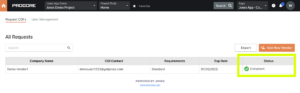
Subcontractor Compliance Status in ProcoreJones Status of Subcontractor Certificate Of Insurance information in Procore

All integration partners enable users to view the compliance status of subcontractors within Procore. Additionally, Jones, MyCOI, and TrustLayer all show breakdowns of the compliance statuses on specific policies within COIs as well. Jones shows reports of specific waivers and/or gaps on policies as well.

Compliance Status of Jones COI Management subcontractor compliance status in Procore

Contract Requirement Extractions

Construction Contract Requirement Extractions for COI Management in Procore

Every COI needs to be audited against a set of requirements. MyCOI charges per contract requirement extraction and TrustLayer is unable to extract requirements from contracts.

Jones offers an unlimited amount of free contract requirement extractions.

Notifications to Subcontractors

Auto Expiration Notifications for Subcontractor COI Management in Procore with Jones

All integration partners have the ability to set auto expiration notifications within Procore’s workflow. This means you won’t need to remind yourself to email a subcontractor before their COI expires. Jones, MyCOI, and TrustLayer enable users to toggle this feature on or off for subcontractors within Procore.

We recommend turning off Procore’s auto expiration setting and using Jones’ auto renewal system instead. Our customers prefer the Jones flow because unlike the standard setting in Procore, our emails to subcontractors are branded and the series of reminders start one month before COI expiration dates.

Auto Renewal Emails

The Bottom Line for Construction Companies

The most robust and only compliance solution with an embedded integration in Procore’s App Marketplace is Jones. While MyCOI and TrustLayer can get the job done, Jones has the most seamless, bi-directional integration with Procore’s workflow.

PS: Check out this article on the 6 Benefits of the Jones + Procore Integration for managing Risk and Compliance. It goes over many additional features not mentioned in this chart such as how easy the Jones Platform is for subcontractors to use and the liability protection offered by Jones.

Ready to improve your insurance compliance rates?

Book a demo today, and learn how easy it is to integrate Jones with Procore.

We Compared 4 Best Ebix Alternatives. Find the Right Tool For You.

Ebix Alternatives - Guide to proptech

Table of Contents

Quick Overview of Ebix

Ebix - Ebix Alternatives

Ebix is a full-suite insurance software solution that deploys various insurance and reinsurance exchanges on an on-demand basis.

Plus, it provides software enterprise solutions in Customer Relationship Management, Forex Trading, front-end & back-end systems, and outsourced administrative and risk compliance.

So who is Ebix for?

EbixRCS has a diverse client list in almost every industry, from small to large private organizations to government entities.

It can manage daily transaction processes, solicit insurance coverage from vendors, follow up on insurance renewal dates, and provide accurate management level reporting.

Avoid Interruptions: Jones Can Help
Don’t let Ebix’s recent bankruptcy filing get in the way of your insurance risk management. Jones offers expedited onboarding to the customers of Ebix. Talk to our team of experts today!

Let’s Chat!

Advantages of Ebix

Ebix is undoubtedly a helpful product with positive reviews from users. Here are some of its advantages.

Smooth Transition
The transition from another COI management tool (or manual system) to Ebix is straightforward. Once installed, it adopts new systems and procedures, so you don’t lose critical data during the process.

Handles a large volume of corporate insurance compliance
Ebix excels in managing chaos such as thousands of documents. The system is designed to take in a large volume of data and single-handedly execute compliant tasks.

Reputable brand
This isn’t necessarily an advantage, but some may find comfort knowing Ebix is a publicly traded company on the NASDAQ.

Ebix shortcomings

While having some desirable features, Ebix still has shortcomings that might downgrade its overall quality.

It’s easy to understand why, as Ebix has spread itself very thin by offering multiple tools.

And in most cases, software companies that offer multiple solutions from the same platform often downplay other tools. That’s the kind of situation Ebix finds itself in, as you’ll notice in these disadvantages.

Poor UI/UX
While Ebix is famous for being a bulldozer in handling huge COI compliance management tasks, its user experience falls short.

Old and outdated
You can just know what to expect by seeing how clunky the dashboard is. It slaps you with so much confusing information and leaves you stranded.

Furthermore, there’s a steep learning curve in getting used to their interfaces.

Poor email design
Ebix sends PDF files stating the issues to vendors. As a result, most of these emails land in vendors’ spam folders. Vendors might not want to open a PDF email attachment which then reduces COI collection rates.

Slow COI validation time
Ebix’s ability to take on extensive COI certificate management doesn’t mean it’s quick in turnaround time.

Suppose you own a large commercial building with multiple tenants; getting to know if all of them are compliant using Ebix will be as slow as doing it manually.

This also raises the issue of accuracy if you don’t opt for the more expensive full-service plan that offers on-staff professional review.

Now that we’ve briefly broken it down, let’s look at four of the best Ebix alternatives.

Ebix Alternative #1: Jones

Best compliance management software for real estate and construction companies.

Jones - Ebix Alternatives

Our first Ebix alternative is Jones, which is us. Don’t worry; we won’t be biased.

We’ve made sure this review is as honest as possible to help you make the right decision based on your needs.

Our goal is to make insurance compliance simple and accurate. We know you have other things to focus on like managing your properties, attracting new tenants, finance report management, etc.

The last thing you want to have in mind is to live in fear with low compliance rates. You don’t want to imagine that the next day you’ll receive a claim asking you to pay millions of dollars.

So how do we do it?

When we onboard new clients, they often find out that their tenant and vendor compliance rates only stands at 2%.

That means property managers who review docs themselves and are not insurance experts are likely to have significant gaps that expose them to potential risks before using Jones.

Our solution is simple – we take the risk and burden off your shoulders by:

  1. Collecting and auditing insurance certificates. We audit COIs within 5 hours on average for construction customers to avoid wasting time on urgent projects.
  2. Making it easy for tenants and vendors to provide all the required documentation.
  3. Tracking and automating tasks like automatically warning you when a vendor’s insurance coverage is about to expire.
  4. Providing tenants with pre-approved vendors for their needs.

As a result, admins who use Jones save up to 12 hours weekly and record first-time compliance rates improving by three times. COI tracking is easier with Jones.

Advantages of Jones

There are many good things to say about Jones but we’ll just highlight three of our most popular advantages (Remember, we’re still keeping it honest).

Seamless onboarding
You can quickly integrate Jones into your workflow and get all set up in a very timely manner. Thanks to the Jones Compliance API, you’ll also find it easy to integrate Jones with various integrations like CRM or accounting software.

Easy to use
Jones is powered by a robust AI that does the heavy lifting for you so you can onboard vendors and tenants with the click of a button. Plus, the dashboard is intuitive and user-friendly, meaning it’s not easy to get lost when navigating the product.

Effective communication
Jones personalizes and brands emails sent to vendors. This is critical as it shows that the communication comes from your company, ultimately leading to a higher collection rate.

Here’s an example of a branded email:

Jones Branded Email - Ebix Alternatives

Jones does this all without needing to involve property managers in the communication, which is a time saver.

Jones Shortcomings

Below are some frustrations you might experience with Jones.

Getting vendors to produce COIs
This is a challenge that all compliance management tools face. However, data collection is one of our biggest competitive differentiators. We’ve solved the problem by sending branded and personalized emails. Our great technical support team also helps vendors avoid frustrations when asking for COIs.

Limited industries
Jones only serves the Real Estate and Construction Industries (and their insurance brokers). For now, we can’t help you if you’re looking to manage COIs in a different industry.

Quick Recap

As you can see, Jones is ideal for users looking for a quick and straightforward fix on all things regarding COI compliance.

We remove the fear of getting hit with many claims and take the hefty, time-consuming work off your hands.

Ebix Alternative #2: Docutrax

Compliance management software but not focused on any specific industry.

Docutrax - Ebix Alternatives

Docutrax is an Ebix alternative focusing on Startups, SMEs, Agencies, and Enterprises looking to facilitate risk transfer from their businesses to third parties.

To stand above the crowd, Docutrax does more than just COI management. They also track important documents like leases, inspection reports, maintenance schedules and more.

Docutrax Advantages

All-in-one insurance tracking platform
As said earlier, Docutrax tracks more than COIs and allows users to upload up to 5GB of various types of files into a “document library”. In the document library, you can send, solicit, track expiration dates, review documents, and report on time-sensitive information.

Good custom emails
Similar to Jones, Docutrax sends branded emails to tenants when inquiring on all aspects of the COI collection process. This improves the collection rates amongst tenants and vendors.

Real-time monitoring
You can log into your dashboard anywhere and at any time, and monitor your certificate validation process in real-time.

Docutrax Shortcomings

Old and Outdated Interface
Docutrax hasn’t improved its interface since the company was launched in 2014. This leaves the dashboard clunky with many confusing features.

They don’t audit all requirements
Companies that have left Docutrax and switched to Jones have told us that Docutrax marked COIs compliant when they indeed were not.

Quick Recap

Docutrax has a good insurance compliance model that tracks and verifies multiple documents. It’s a significant upside for users looking for one platform to manage all their insurance documents.

However, they don’t audit all requirements and can leave your company exposed to risk.

Ebix Alternative #3: RealPage

Compliance management software for vendors.

Ebix Alternatives - RealPage

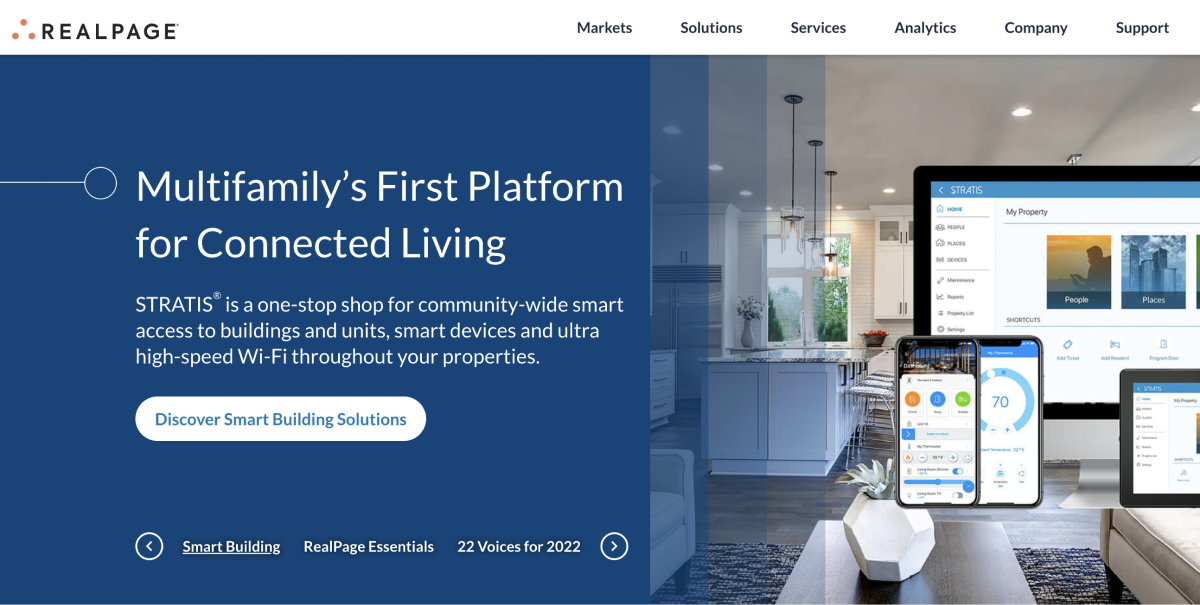
Like Ebix, RealPage is a suite of solutions cutting across marketing, accounting, leasing, and expense management.

So it might be an excellent fit for organizations searching for a complete bundle from renting to leasing to bookkeeping.

However, its COI tool is created explicitly for vendors, meaning your tenants aren’t involved. They have a reason for this, though. RealPage is clearly meant for multifamily properties and not geared for commercial real estate.

Typically, what it does is help you search for the right vendor, verify their credentials, and match your insurance needs to reduce risk exposure.

Luckily, they already have a list of vendors on the marketplace with good credentials, making your work easy.

Advantages of RealPage

Robust interface
RealPage’s dashboard is modern, eye-catching, and clean, with tons of ways to get all the information you need at a glance. This dashboard presents all the data and buttons in beautiful charts and paragraphs.

Insightful analytics
RealPage sends you occasional reporting and analytics to provide purchasing transparency and accountability, which drives up compliance.

Intensive background checks
Besides reviewing COIs, RealPage dives deep to verify vendors’ criminal records, insurance, and financial status to reduce risk.

RealPage Shortcomings

Unresponsive Customer Support
More users complain that the support team isn’t responsive. Plus, you never work with one person. What’s more frustrating is that the first person may say your documents are good only to be declined by the final decision maker, yet they haven’t read all the provided information.

Occasional System Rundowns
Users complain that RealPage website experiences occasional run downs due to technical maintenance, which is difficult for fast-paced operations.

Quick Recap

RealPage comes in handy if the vetting process is complex and time-consuming for you.

It features vendors who’ve been successfully vetted and are likely to be approved.

Ebix Alternative #4: TrustLayer

Software for insurance brokers.

Ebix Alternatives - TrustLayer

TrustLayer is another Ebix alternative with quite a different approach to COIs management.

First off, they sell the tool to property managers, real estate companies, and construction companies.

Secondly, they sell the software to brokers who do the actual work of COI management for the parties above.

For example, suppose you’re a construction company; you’ll hire a broker who uses TrustLayer to handle your COI compliance.

This model works well for busy professionals who don’t have time to manage COI tracking but still want to mitigate risk.

Advantages of TrustLayer

Boost productivity
Since much of COI compliance work like requesting, finding, and auditing documents has been taken off your hands, you can have more time to focus on revenue-generating activities.

User-friendly interface
If you’re looking for a tool you can figure out how to use on your own in under an hour, then TrustLayer is for you.

It has a short learning curve with an easy-to-navigate dashboard. Everything is where it needs to be, which makes your work easy.

TrustLayer Shortcomings

They are industry agnostic
TrustLayer tries to sell directly to GCs/developers but is industry agnostic. This means their product is not focused on construction and may have some limitations that don’t resolve industry-specific needs.

Inability to extract insurance requirements
Recently, we heard that they have been working with a company for four months. They signed an agreement but had to cancel the contract during implementation because they couldn’t handle extracting insurance requirements from documents.

Quick Recap

As a property manager in RE/construction industries, you can use TrustLayer yourself to manage COIs.

But you can hire a broker for the job if you don’t have the time.

While that’s a good move, the tool tends to cost more as you’ll have to pay the brokers a service fee, which they’ve likely factored in the TrustLayer’s cost. But it could be fair enough to pay, considering the stress they’re saving you.

Ebix Alternative Final Verdict

There you have it; if you were using Ebix and feel like it’s not giving you the value you want, you should consider the above four options.

Docutrax allows you to do more than insurance compliance. You can manage other documents, such as leases and financials.

RealPage is ideal for real estate companies or property managers looking to hire insured vendors for residential portfolios.

TrustLayer fits users who want to remove compliance tasks from their hands completely. You just need to hire a broker who uses the platform to do the heavy lifting for you.

Use Jones if you’re a Real Estate/Construction company looking to increase your compliance rates and make the life of your property manager easy.

The process is automatic, from collecting the COIs to following up with vendors who haven’t renewed their insurance. The best part? Jones assures you a 99.9% compliance accuracy with liability protection, which is impossible with almost any other company.

Ready to See Jones in Action?

Book a demo today to improve your insurance risk management.