Long email threads are difficult to follow, and most COI management solutions don’t have features that make working together easy. Here’s an example a customer shared with us of their COI collection and review workflow before they moved to Jones:
- Assistant property manager requests COI via email.
- Vendor forwards the email to their office manager.
- The office manager asks for a sample COI to check their requirements.
- The office manager submits a COI via email.
- The assistant PM catches a CGL gap.
- The assistant PM forwards the thread to their risk manager.
- The risk manager adds their broker to the email chain to ask about the gap.
- Broker tells the risk manager that the gap cannot be ignored.
- Risk manager tells the assistant PM to communicate the gap to the vendor’s office manager.
- The vendor’s office manager gets their broker to amend their policies to meet the requirements for the job.
- The office manager submits a new COI to the assistant PM, who subsequently approves it.
That’s three separate email domains, six stakeholders, and eleven steps where the ball could be dropped. Yikes.
Jones can help your team centralize all your insurance-related communications in one place, speeding up the compliance process and helping your team collaborate more effectively.
Here’s three examples of real-life scenarios where Jones helps teams collaborate more effectively.
Communicating on How to Handle Insurance Coverage Gaps
Making the decision about what gaps should be accepted, waived, or sent back to the third party for resubmission is a key component of checking vendor COIs for compliance and getting them approved for work quickly. Here’s a gap handling scenario we saw a commercial real estate customer on the Jones platform encounter recently.
A senior risk manager is trying to decide if they’re going to mark a gap for Automobile Liability for a lack of “All Autos” coverage, but they’re not sure what the vendor’s automobile situation is. Are they only using rented vehicles, or are they using personal vehicles? Have they provided an automobile schedule? She needs insights from the assistant property manager who manages the building where this vendor works.
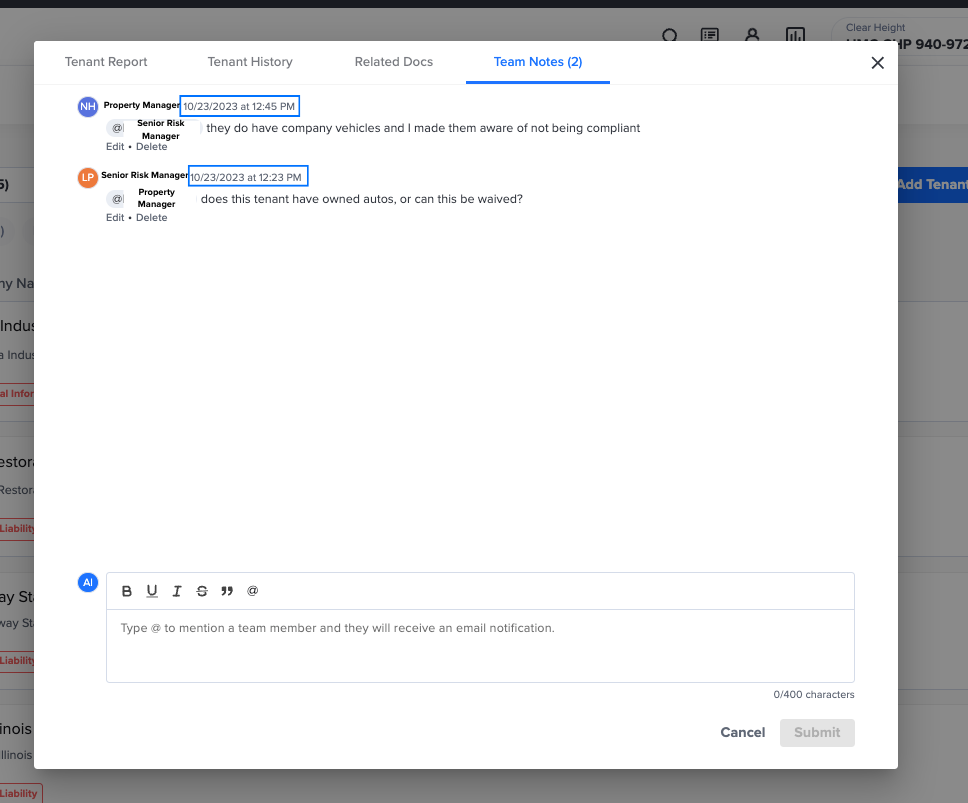
Here’s how collaboration between the senior risk manager and assistant property manager goes in Jones. First, the risk manager locates the vendor in Jones and drops a quick note to the assistant property manager using one of our features, “Mention and Notify a Team Member.” Once the risk manager tags the assistant property manager they will receive a notification via automated email directing them to the vendor’s insurance documents in Jones. All the risk manager has to do in this case is wait for the assistant property manager to get back to them with an answer. Once they get the feedback from the assistant property manager that the vendor has an automobile schedule, they can choose to accept the gap and mark the vendor’s COI as compliant. Here’s what it looks like in practice:
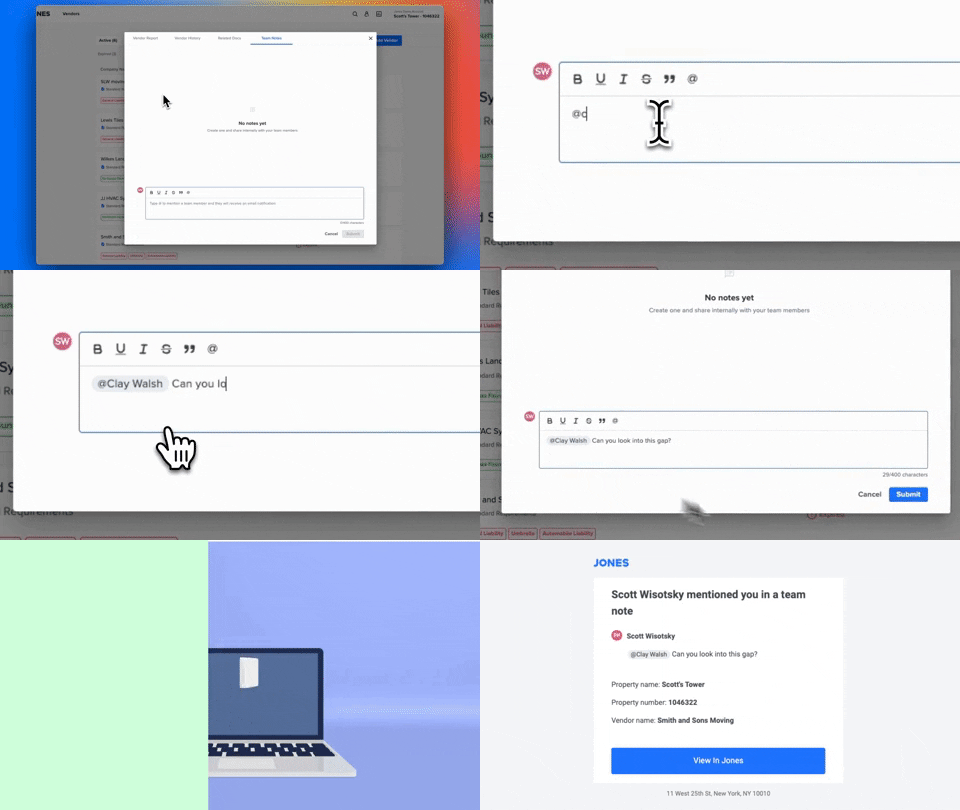
By “Mentioning and Notifying a Team Member”, the senior risk manager was able to resolve the coverage gaps with input from her assistant property manager in under 30 minutes.
Note: interested in exploring how Jones can help you automate your compliance management end-to-end and de-risk your building? Talk to our team of experts today!
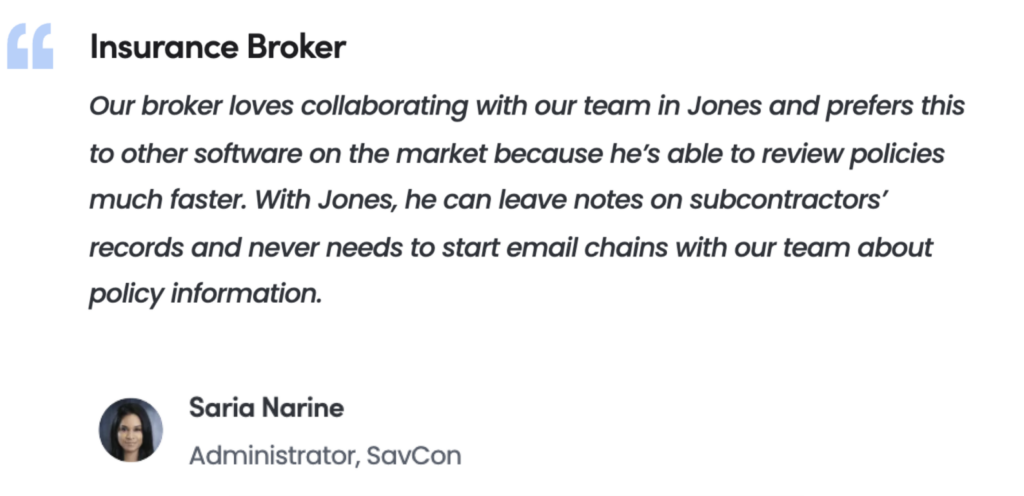
Looping in Your Insurance Broker to Review Insurance Policies and Endorsements
We see some of our customers loop their brokers to review policies, endorsements, and other insurance documents on the Jones platform. We’ve also heard from some of them that difficulties collaborating with their broker via email was a pain point that led them to look for a COI management solution. Here’s an example we heard from a GC customer of how a missed email to a broker impacted their bottom line before they moved to Jones.
A third party submits an Additional Insured endorsement that isn’t a CG 2010 or CG 2037, and the project manager in charge of COIs isn’t sure whether or not it fits their requirements for both ongoing and completed operations. They email their broker, and because of the fact it came from an external domain it goes to spam. The project manager can’t approve the subcontractor, causing a ripple effect of missed deadlines that ends up delaying the project by two weeks.
The ability to “Mention and Tag a Team Member” could have come in handy for this project manager. Here’s how SavCon, a New York City and West Palm Beach based full-service Construction Management Company and Jones customer, would have used “Mention and Tag a Team Member” to resolve this issue.
The project manager would tag, or mention, their broker, who would receive an automated email notification. Their broker could quickly click into the vendor’s profile on Jones, check the endorsement, and respond to the project manager directly within Jones. From there, the project manager could mark the COI compliant and get the vendor on site faster. Here’s what the automated email looks like:
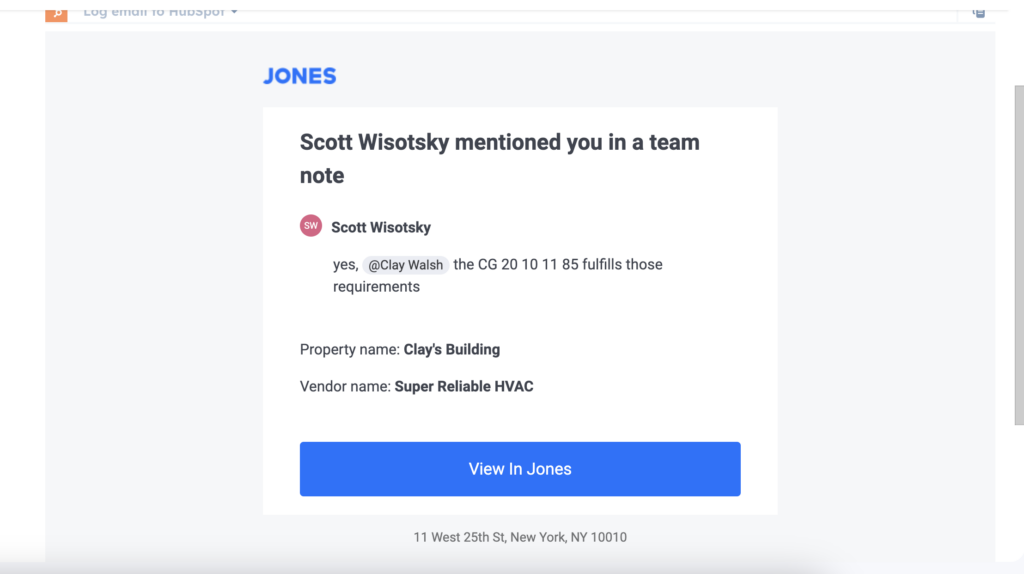
“Mention and Tag a Team Member” has been instrumental in supporting SavCon’s risk management strategy.
Ensuring Timely Payments to Vendors and Subcontractors
An accountant at a GC recently shared an example of how a lack of centralized insurance communications almost caused them to get burned on a payment to a noncompliant subcontractor. Here’s what went wrong.
Their office administrator was responsible for checking their COIs for compliance. One subcontractor’s CGL policy amount was too low, but appeared to have enough Umbrella Liability coverage to meet their limits. The office administrator emailed her risk manager for inputs, but after two days of waiting the general superintendent told her that the subcontractor was getting testy about the payment delay. In a rush the office admin approved the COI, only for the risk manager to get back to her a day later to tell her that the policy wasn’t “follow form” and contained an exclusion that could have made the Umbrella Liability not applicable. In this case they avoided a claim, but as they had already made a payment they had no recourse to get the subcontractor to provide a higher CGL limit.
With the Jones platform, the risk manager would’ve been instantly notified when the office administrator needed their insights. Instead of issuing a payment in haste that could have resulted in a claim, the office administrator would’ve gotten faster feedback from the risk manager and held the payment until the subcontractor provided compliant insurance documents. Now, our customer is usually able to clear payments to vendors “in less than an hour” with better collaboration on insurance document review.
Collaborating on Insurance Management Is Easier with Jones
When you try to collaborate on insurance documents and communications without a specialized COI tracking software like Jones, you run the risk of a missed email or uncollected COI causing financial damage to your organization. Fortunately, the ability to “Mention and Tag a Team Member” makes working with your team easier than ever. That means no more fumbled handoffs during the insurance document collection and review process, with an unlimited number of user seats available for customers on the Jones platform. Get in touch with us via the form below to learn more about how we can help your team eliminate barriers to collaboration today.